Inspections overview
The inspections page organizes everything around completed and pending inspections in 6 tabs.
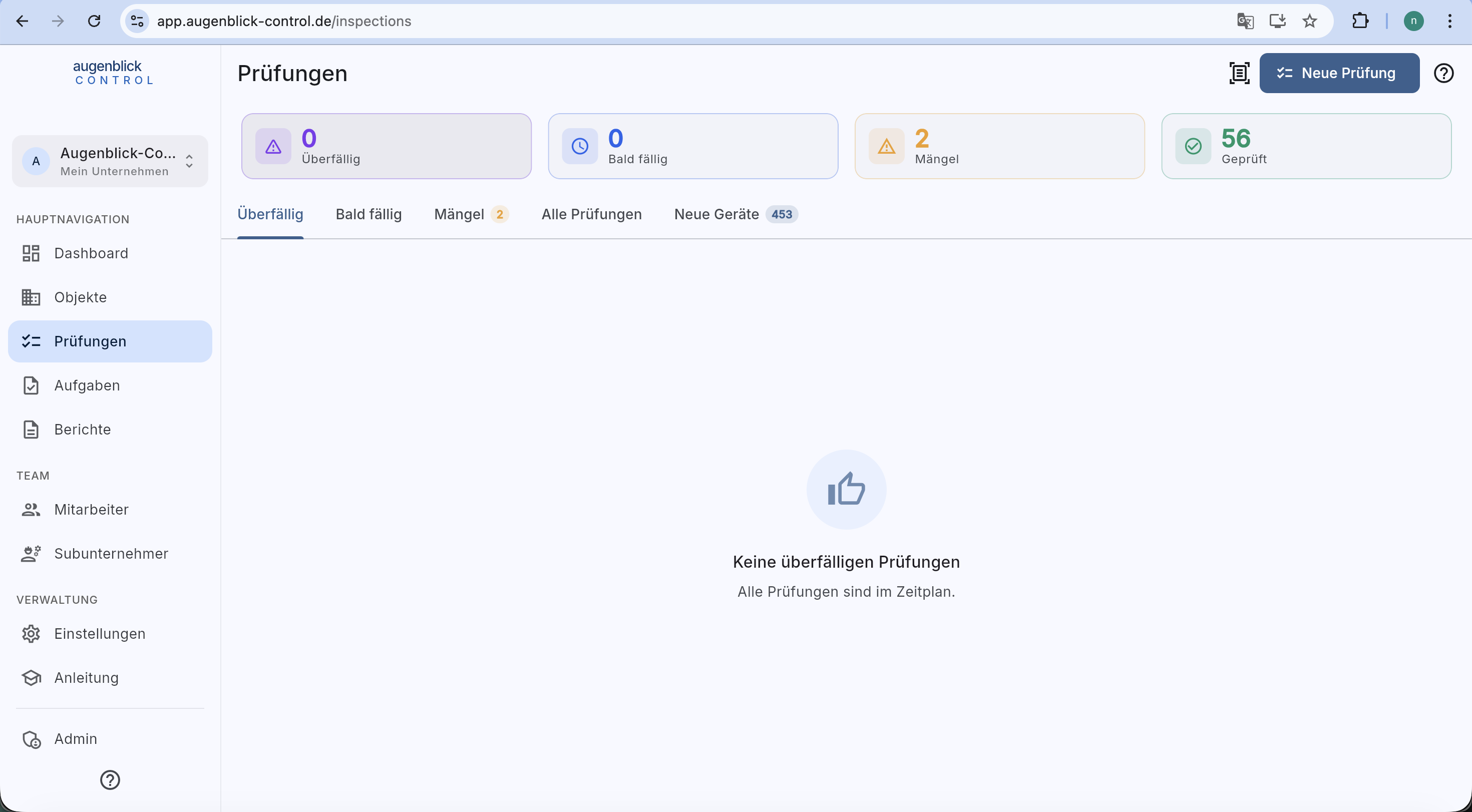
Top: 4 stat cards (Overdue / Due soon / Defects / Inspected). Top right: Scan code and + New inspection.
The 6 tabs
- Überfällig — overdue inspections.
- Bald fällig — inspections whose warning window has started (proportional to the cycle: e.g. 2 days before a monthly check, 30 before a yearly one).
- Mängel — open defects from walkthroughs and individual inspections.
- Nicht prüfbar — elements whose last inspection could not be carried out (own tab since June 2026).
- Durchgeführte Prüfungen — full list with filters and search.
- Neue Geräte — elements never inspected before.
Inspection-type chips (new)
Since August 2026 the Überfällig, Bald fällig, Mängel and Nicht prüfbar tabs are split by inspection type: chips for Regelinspektion, Monatsprüfung, Innere Prüfung and Festigkeitsprüfung. Each chip shows the exact count and opens its own fully pageable list (50 per page, to the very end). An element due on two inspection types appears under two chips — those are two separate jobs, not a duplicate: every row names its type, e.g. "Monatsprüfung — BST-042".
Tab: Durchgeführte Prüfungen
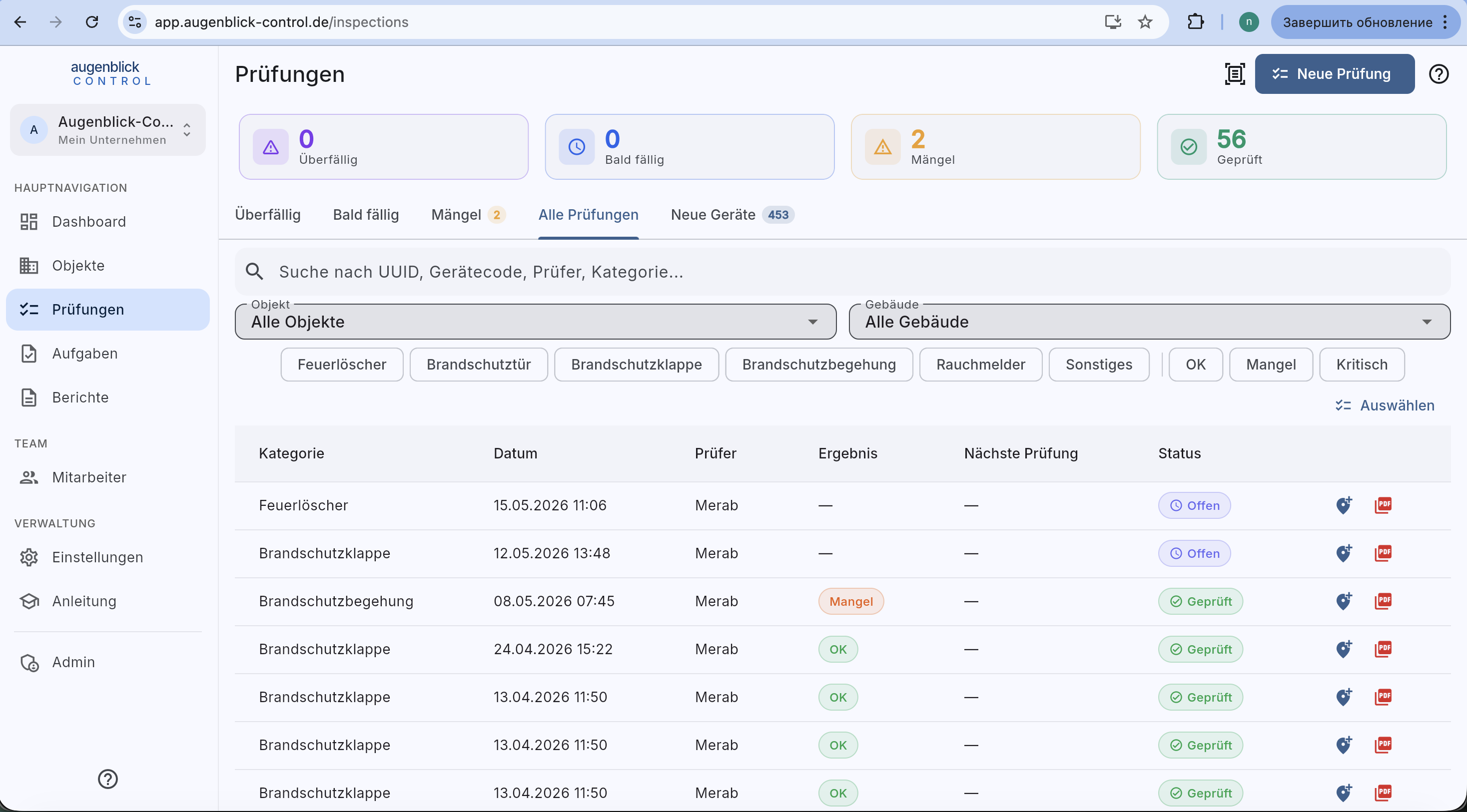
Search by UUID / element code / inspector / category. Dropdown filters for Objekt and building. Category chips (Feuerlöscher / Brandschutztür / ...) and result chips (OK / Mangel / Kritisch). Table with category, date, inspector, result, next inspection, status. Right: quick actions (eye = detail, PDF = report).
Tab: Mängel
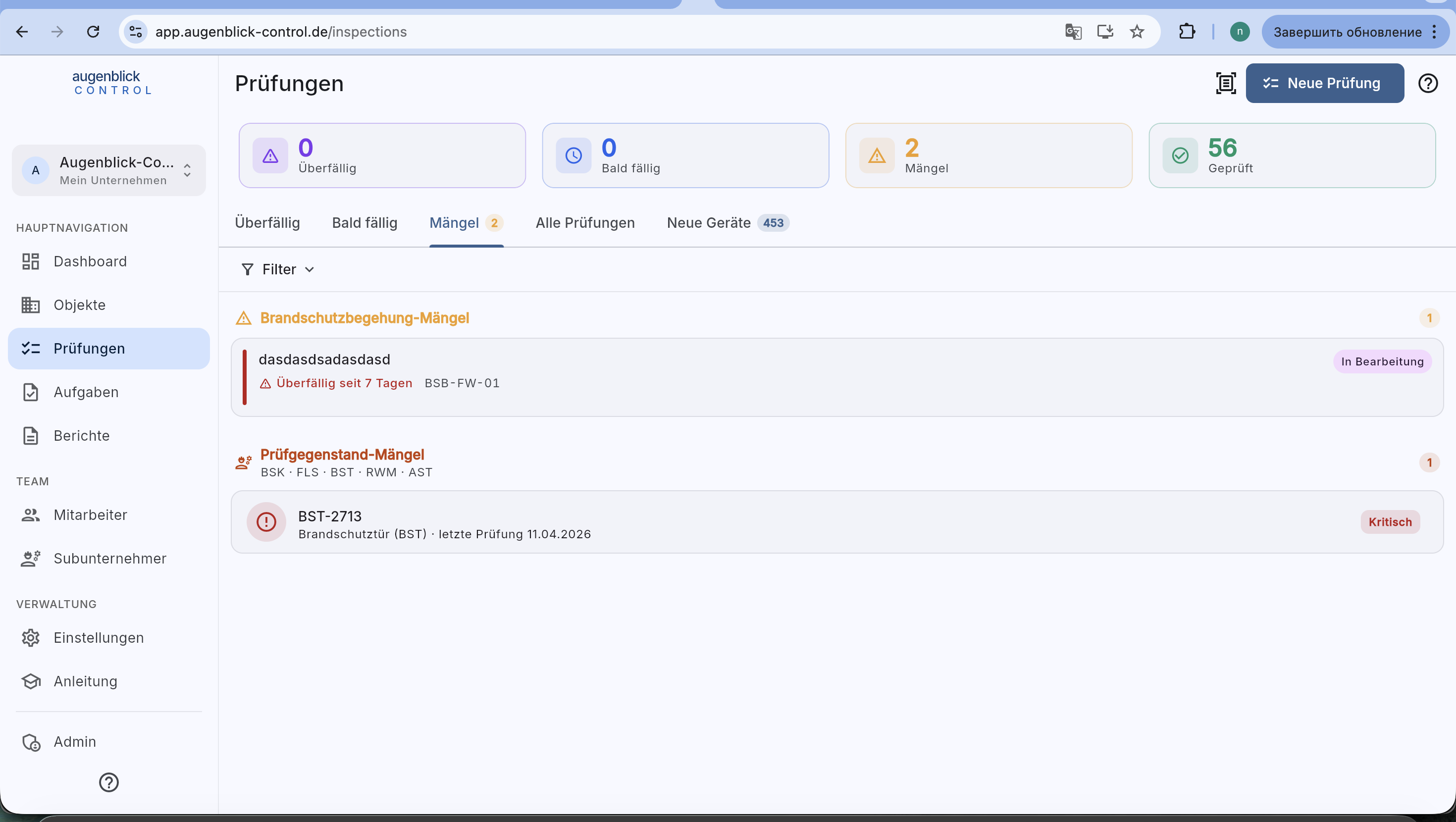
Two sections:
- Brandschutzbegehung-Mängel — defects from BSB walkthroughs.
- Prüfgegenstand-Mängel — individual element defects (BSK / FLS / BST / RWM / AST).
Each entry: element code, last inspection date, status chip (In Bearbeitung / Kritisch).
Tab: Neue Geräte
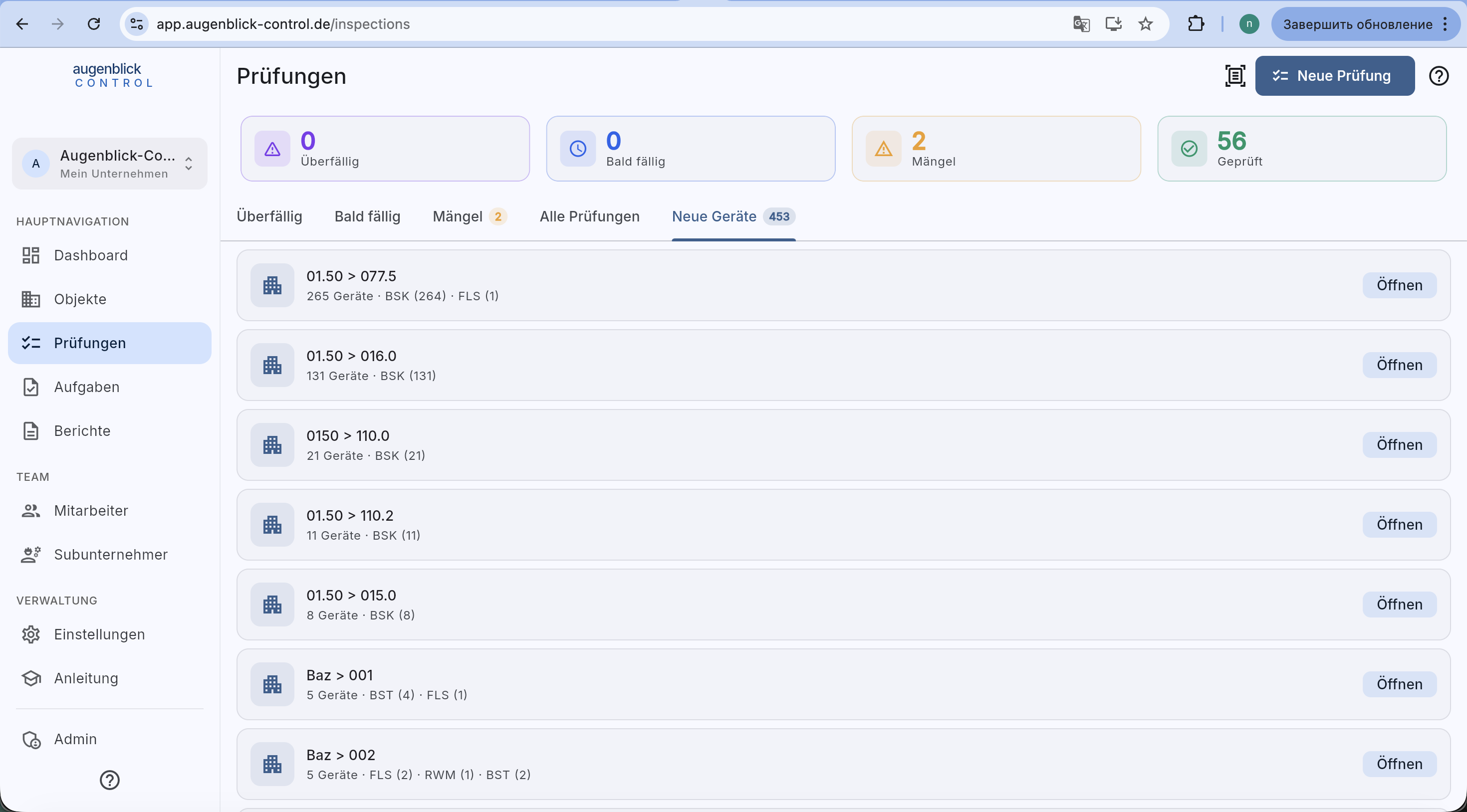
Grouped by building. Each card shows: element count, category breakdown. Öffnen → jumps straight to the building's element list.
Tip: Combine "Alle Objekte / Alle Gebäude" filter on "Durchgeführte Prüfungen" to e.g. browse all fire-damper inspections of a specific building.