Fill in an inspection
The form follows the DIN norm structure. A progress bar at the top shows how much is filled.
Header: DIN norm + Stammdaten + inspection type
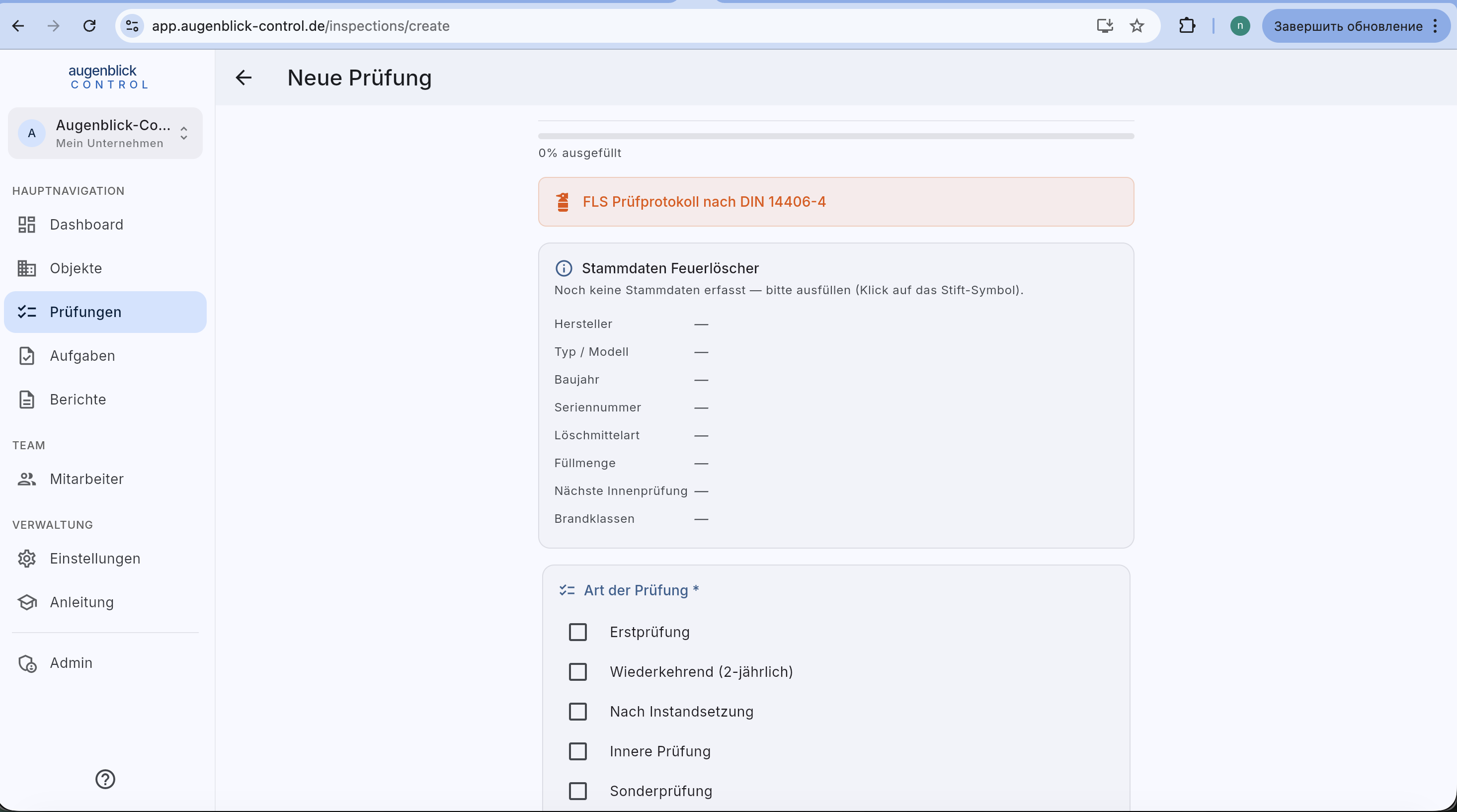
- DIN badge (e.g. "FLS Prüfprotokoll nach DIN 14406-4") — confirms the norm.
- Stammdaten — manufacturer / type / year / serial number / extinguisher medium / capacity / fire classes. Click the pencil icon to edit a value. Stammdaten is reused across inspections.
- Art der Prüfung — first inspection / recurring / after repair / inner inspection / special inspection.
Checkpoints
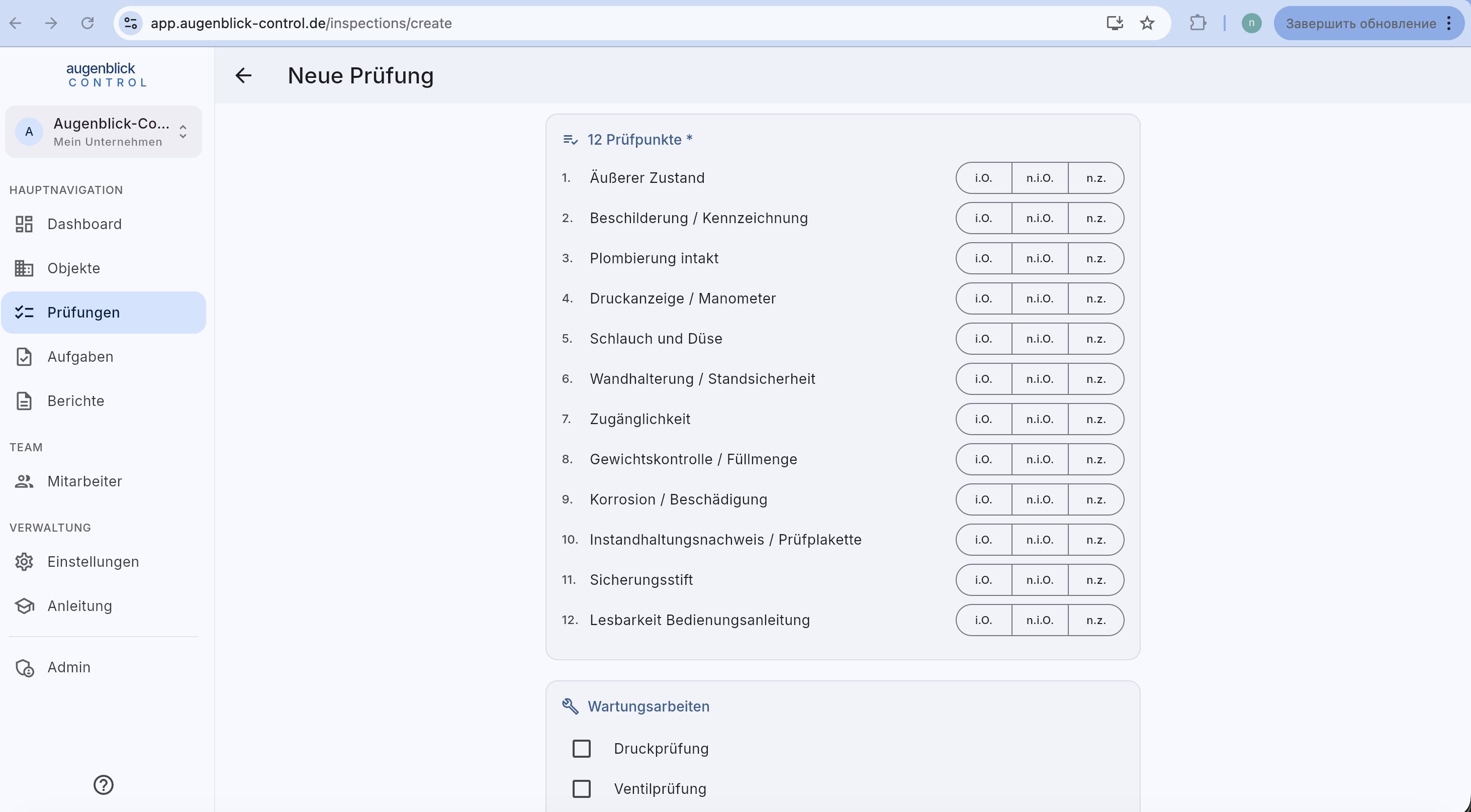
A list of DIN-compliant checkpoints (e.g. 12 for FLS). Three buttons per point:
- i.O. — in order (green).
- n.i.O. — not in order — marks the point as a defect.
- n.z. — not applicable (e.g. part missing).
Maintenance work
Checkboxes for completed work: pressure check / valve check / hose replacement / nozzle cleaned / new seal / new inspection sticker / other.
Defects, assessment, actions
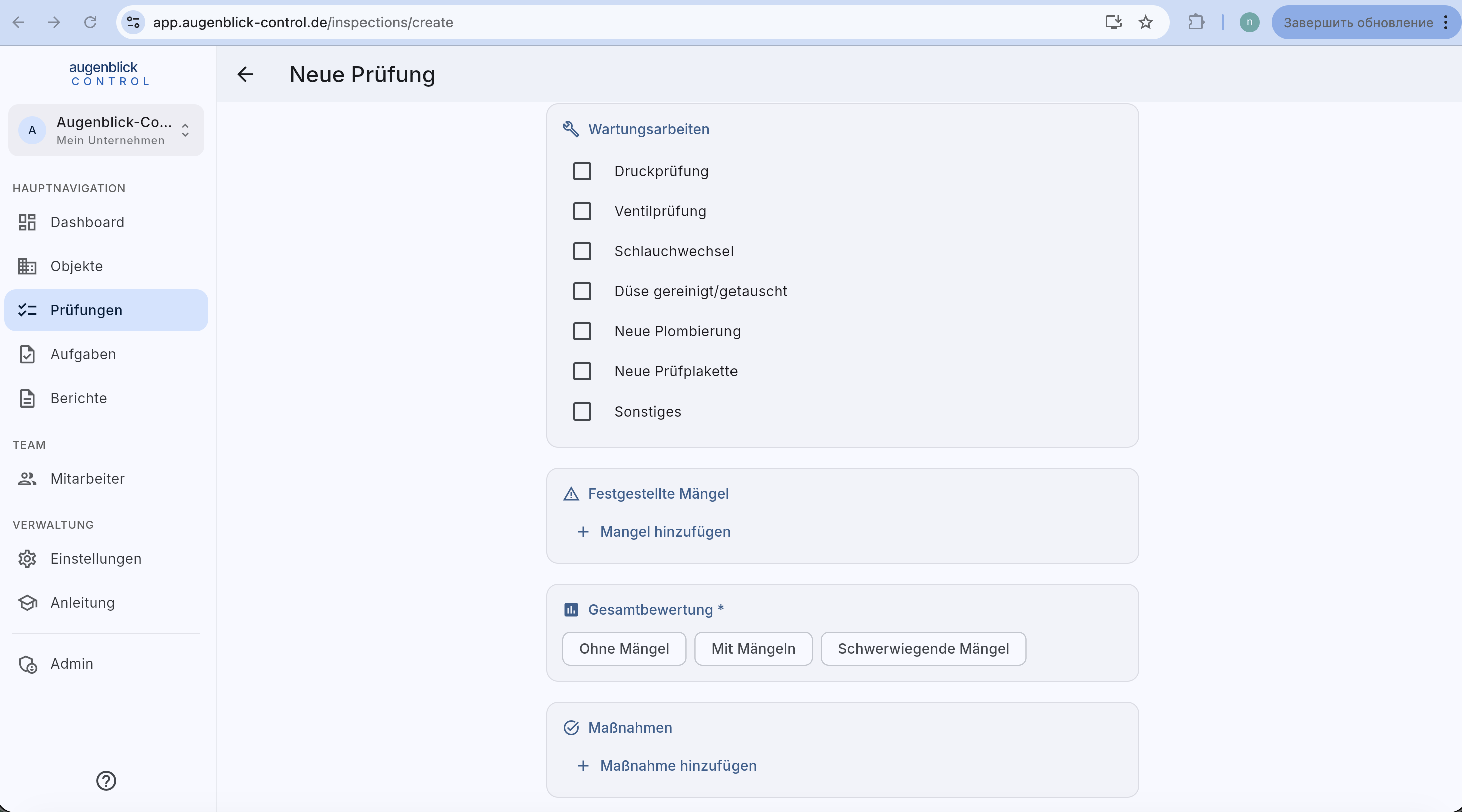
- Defects — for each "n.i.O." a defect entry with description. + Mangel hinzufügen for free-form entries.
- Overall assessment (required): No defects / With defects / Serious defects.
- Actions — what was fixed on site or remains to be done.
Photo documentation + save
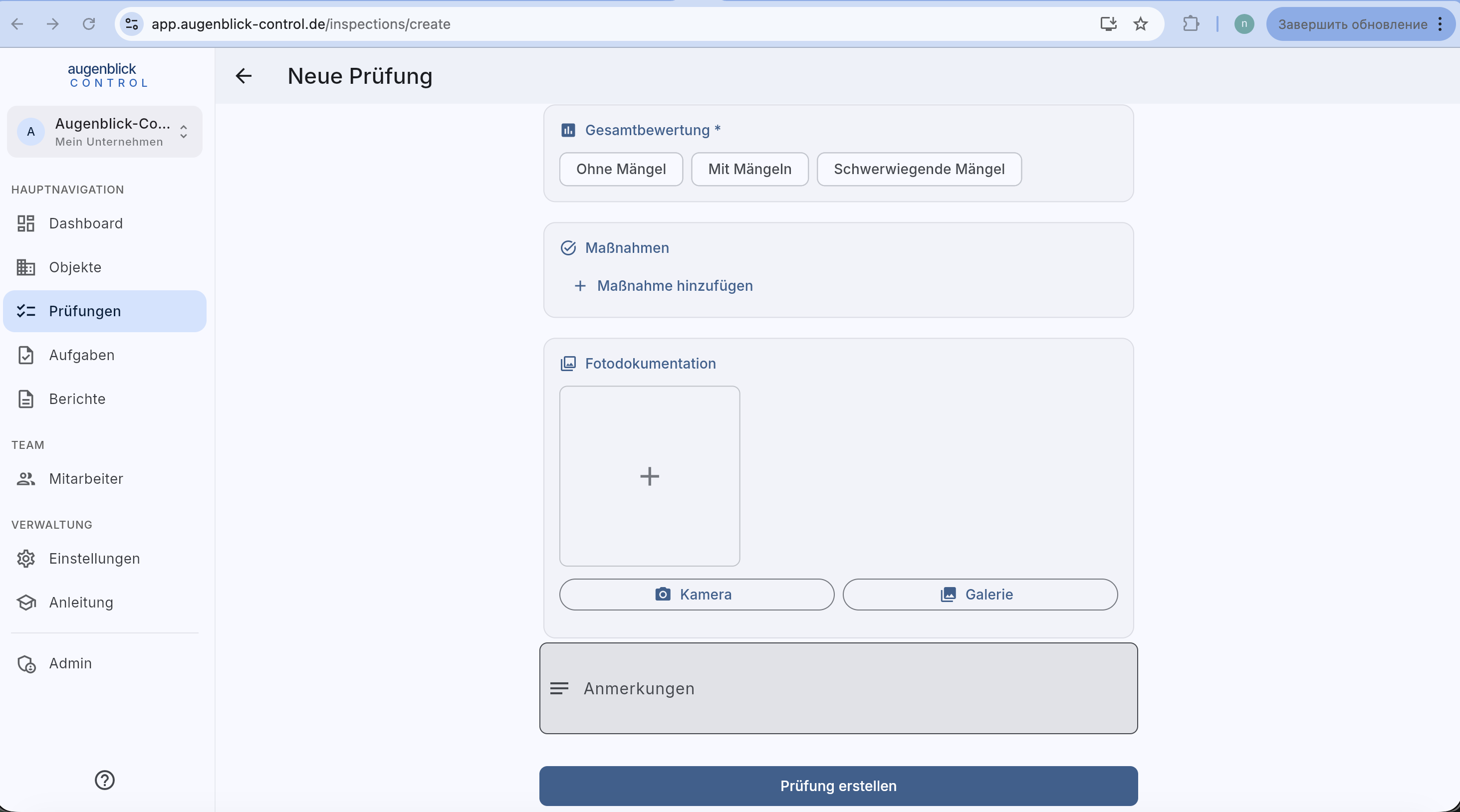
- Camera — take a photo directly.
- Gallery — pick an existing photo.
- Notes — free text.
- Prüfung erstellen button — bottom — saves and returns to the list.
Tip: A "n.i.O." automatically prepares a defect entry — describe it concretely, it saves time later in the report.
What's next
- Generate reports — produce the PDF protocol
- Inspections overview