Create reports
Via Berichte in the left navigation you generate PDF documents in a 3-step wizard: Type → Filter → Generate.
Step 1: choose the type
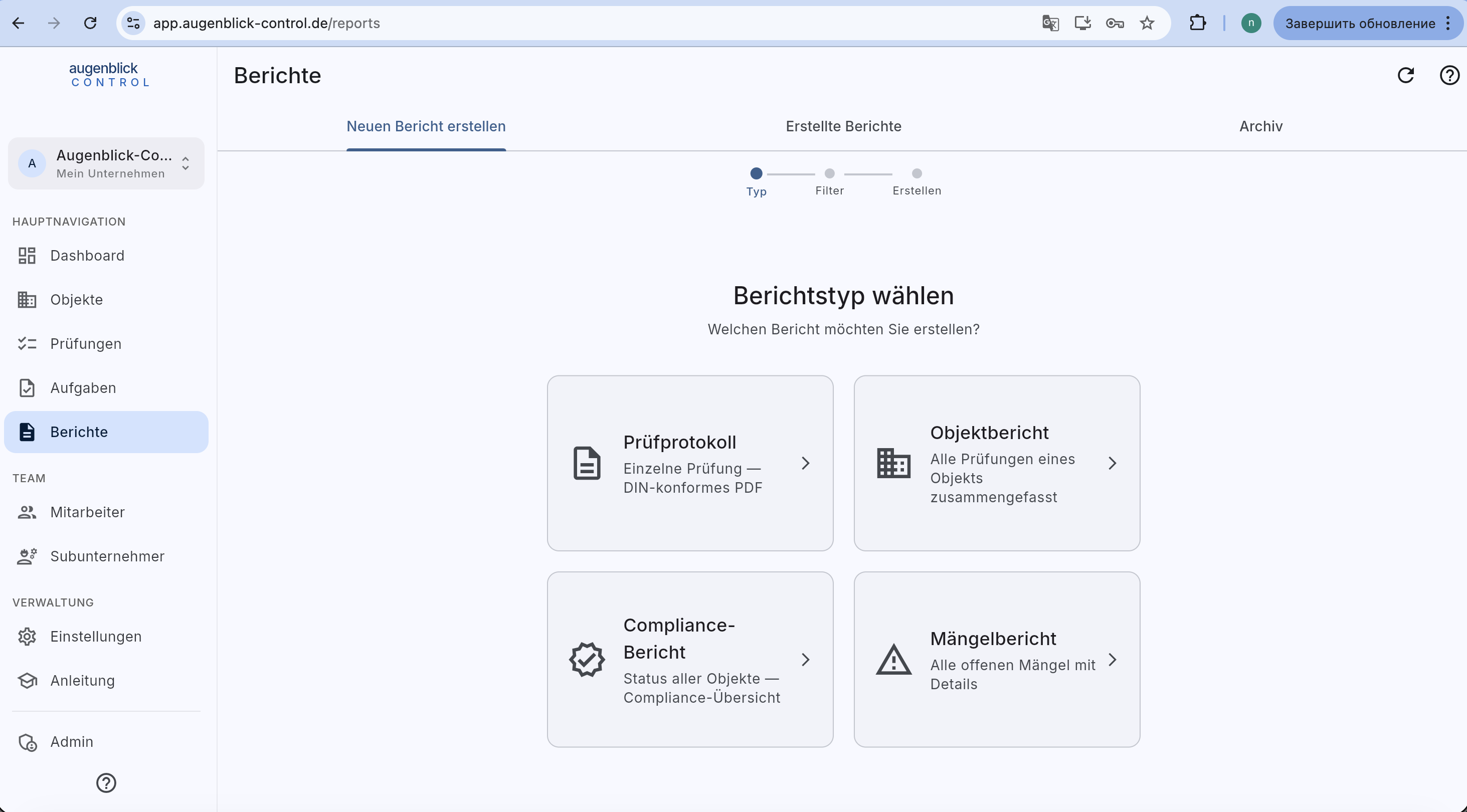
Four types:
- Prüfprotokoll — single inspection as DIN-compliant PDF (for the client, the archive).
- Objektbericht — all inspections of an object aggregated.
- Compliance-Bericht — status overview across all objects.
- Mängelbericht — all open defects with detail.
Step 2: filter
Prüfprotokoll
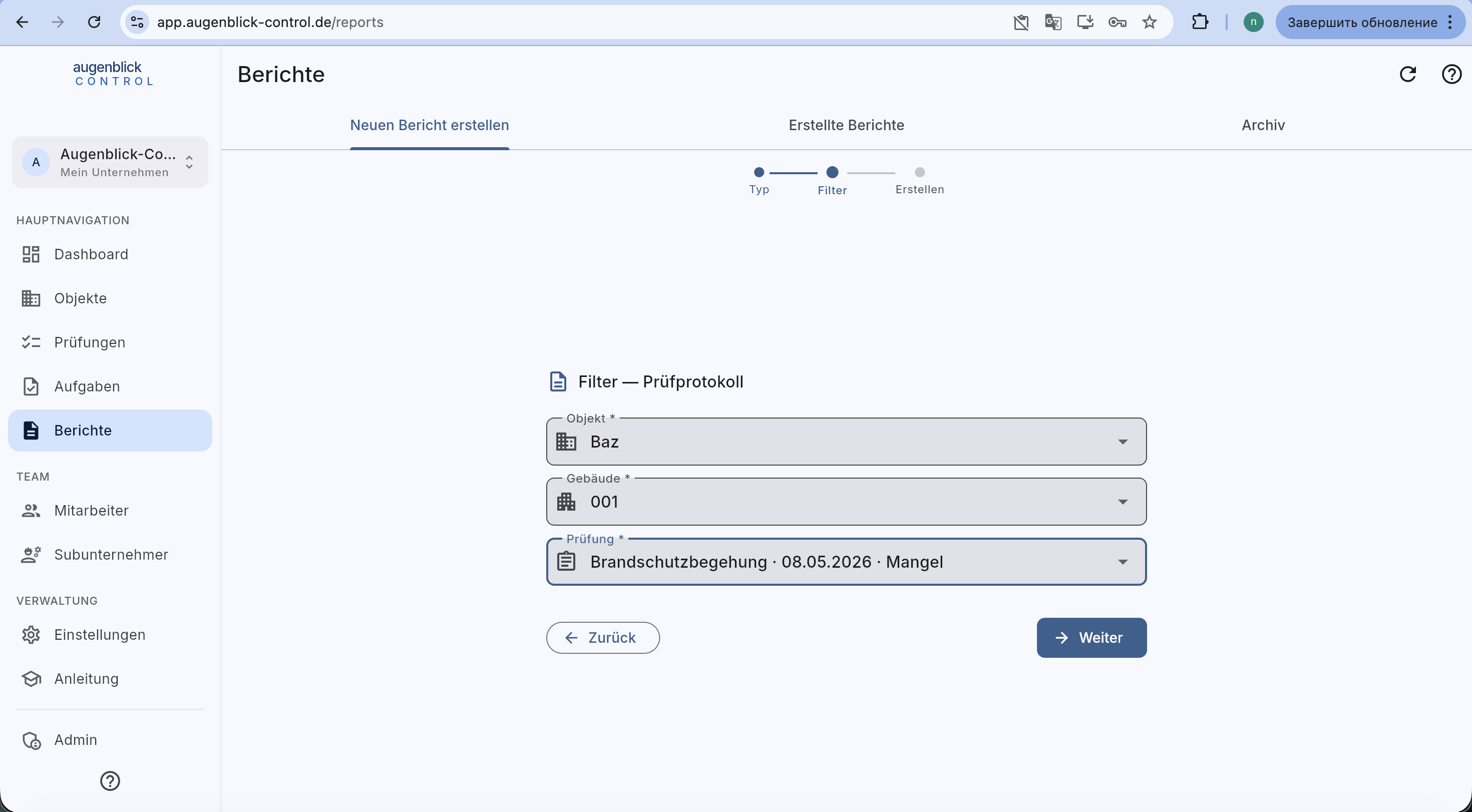
Object → Building → specific inspection. The dropdown lists all inspections of the selected building by date + status.
Objektbericht
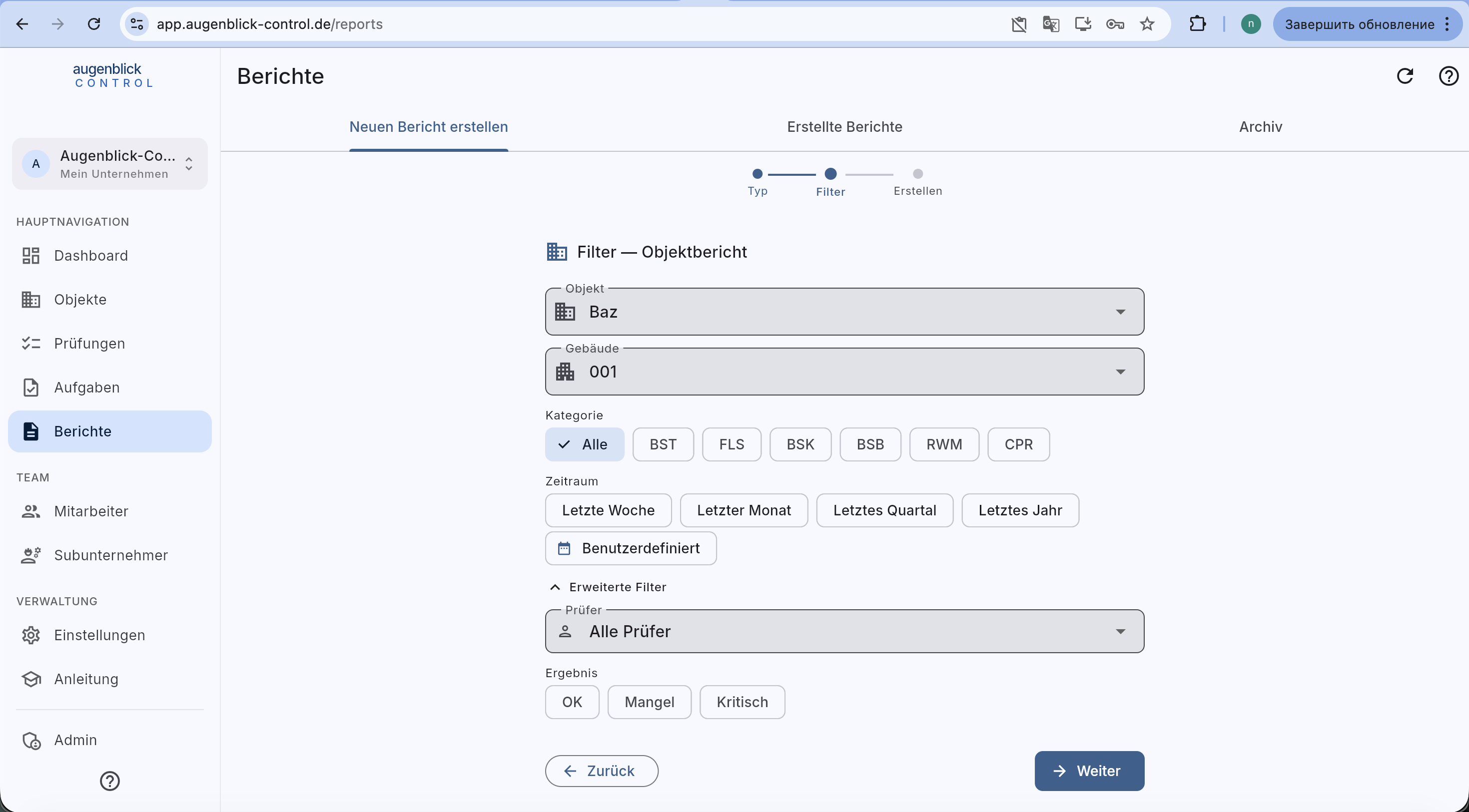
Object → Building → Category chips (All / BST / FLS / BSK / BSB / RWM / CPR) → Period (last week / month / quarter / year / custom). Advanced filters: by Inspector or Result (OK / Defect / Critical).
Compliance-Bericht
Object → Building → Category chips. Produces a status overview of all elements with last / next inspection.
Mängelbericht
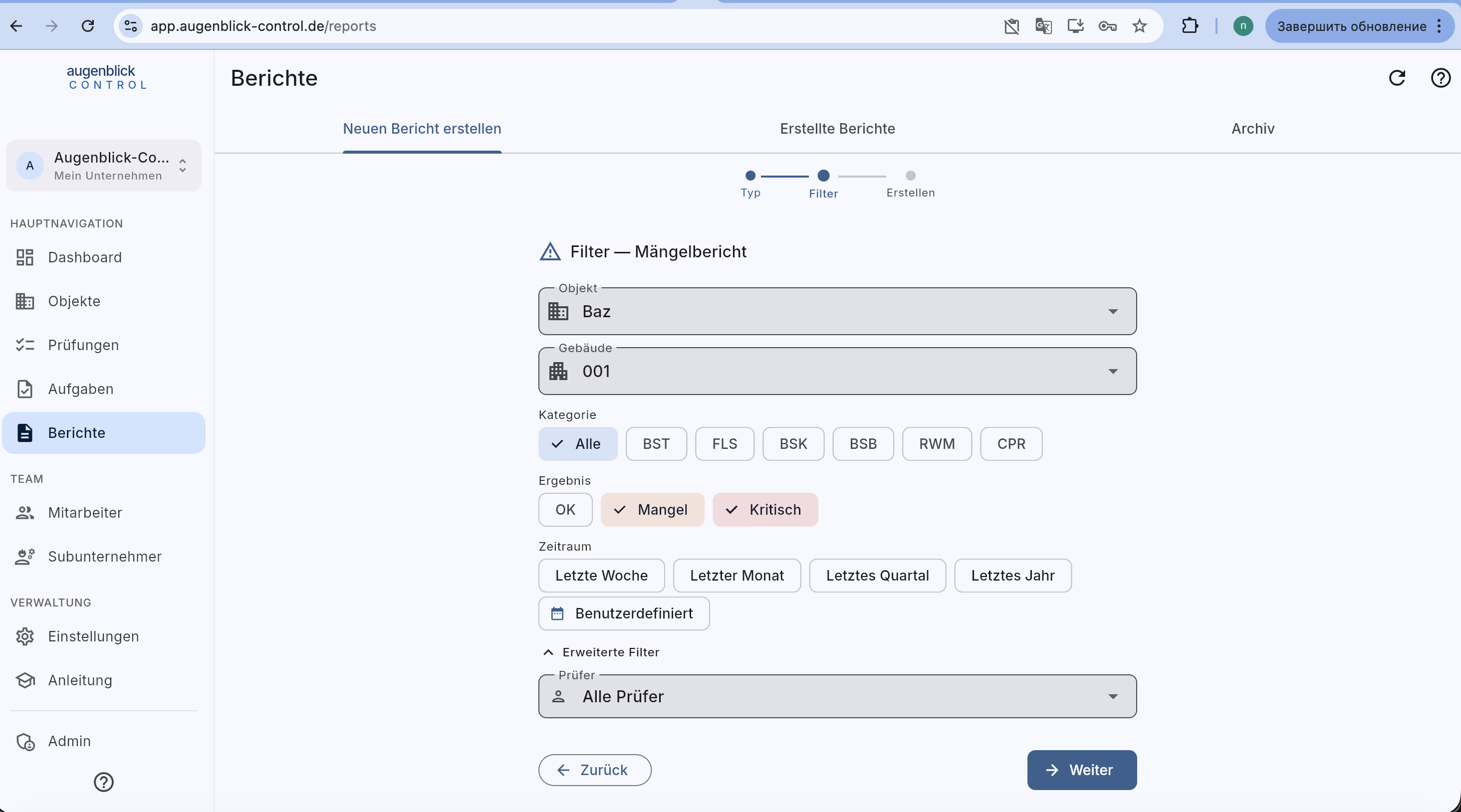
Same as object-report + Result chips (Defect / Critical) — lists only open items.
Step 3: generate
→ Weiter generates the PDF. It then appears under the Erstellte Berichte tab with date, type and download link. After 24 hours it moves into the Archiv (yearly ZIP).
Tip: Multiple inspection protocols in one ZIP? Select several inspections in the filter (multi-select). The app then produces a bundle ZIP with all PDFs grouped by category.
What's next
- Archive — download yearly ZIPs
- Fill in an inspection