Manage buildings
A building sits under an Objekt and groups the on-site inspection items. The detail page has 4 tabs.
Tab: Übersicht
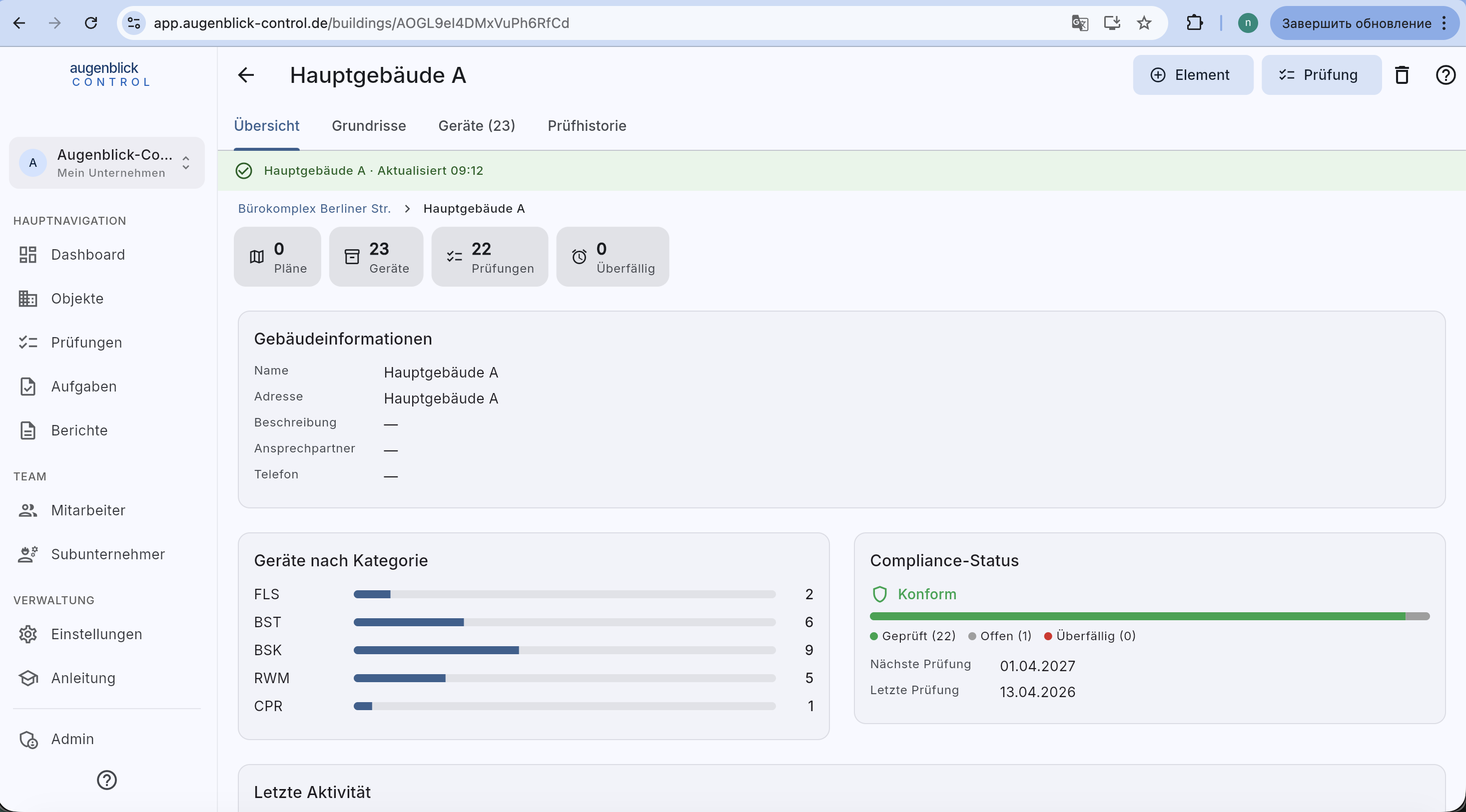
- 4 metrics (Plans / Elements / Inspections / Overdue).
- Gebäudeinformationen — name, address, description, contact, phone.
- Elements by category — bar chart per category (FLS, BST, BSK, RWM…).
- Compliance status — Konform / Geprüft / Open / Overdue + next / last inspection.
- Latest activity — the five most recent inspections in this building.
Tab: Grundrisse
Uploaded floor plans, each as a card. See guide Floor plan & markers.
Tab: Geräte
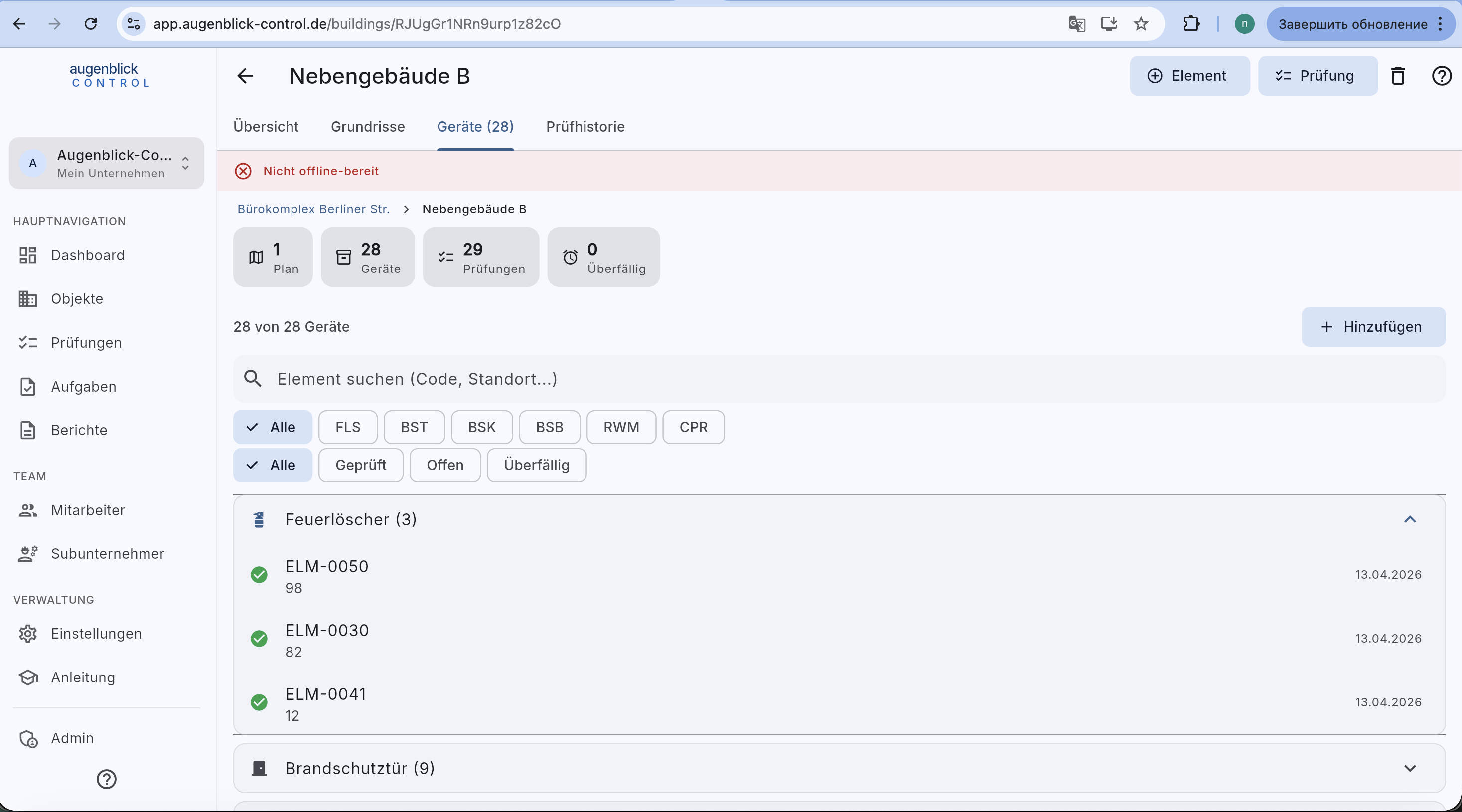
- Filters — category (FLS / BST / BSK / BSB / RWM / CPR) and status (All / Inspected / Open / Overdue).
- Grouped by category, each group collapsible.
- + Hinzufügen — create a new element in this building.
Tab: Prüfhistorie
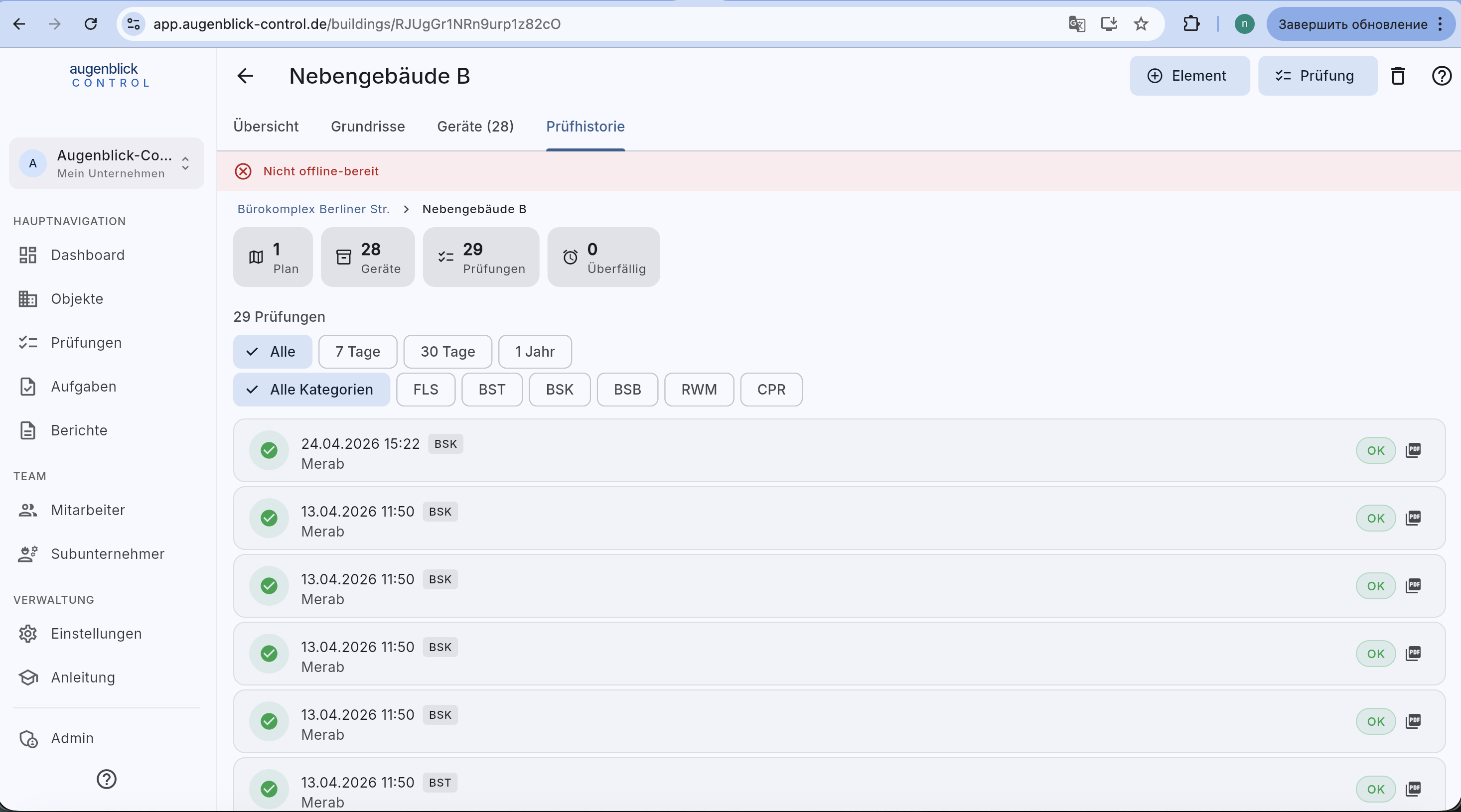
All inspections in this building, in pages of 50 with “Load more” — every row is tappable and opens the old inspection. Filterable by period (7 / 30 days / 1 year / all), category and inspector.
Tip: "Nicht offline-bereit" banner at the top? Tap this building on the Dashboard "Offline-Modus" card — the app downloads everything needed for offline inspections.
What's next
- Floor plan & markers — place elements on the plan
- Create new inspection