Manage Objekte
An Objekt is the top level of the hierarchy — typically a property or address. Below come buildings, then inspection items.
The list
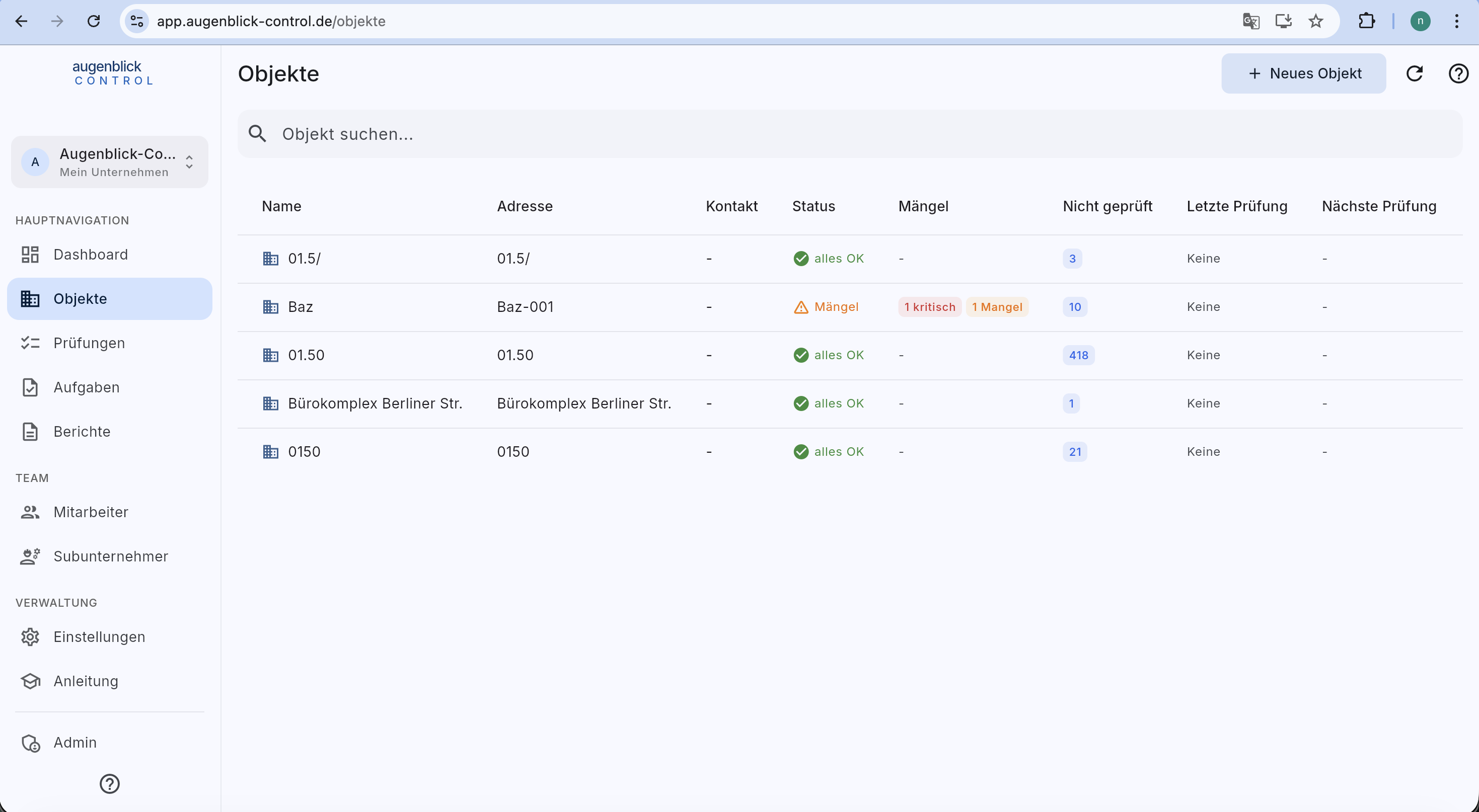
- + Neues Objekt (top right) — create a new property.
- Search — filter by name, address or contact.
- Columns — status (traffic light), defect counter, not inspected, last / next inspection.
- Tap a row → object detail.
The detail page
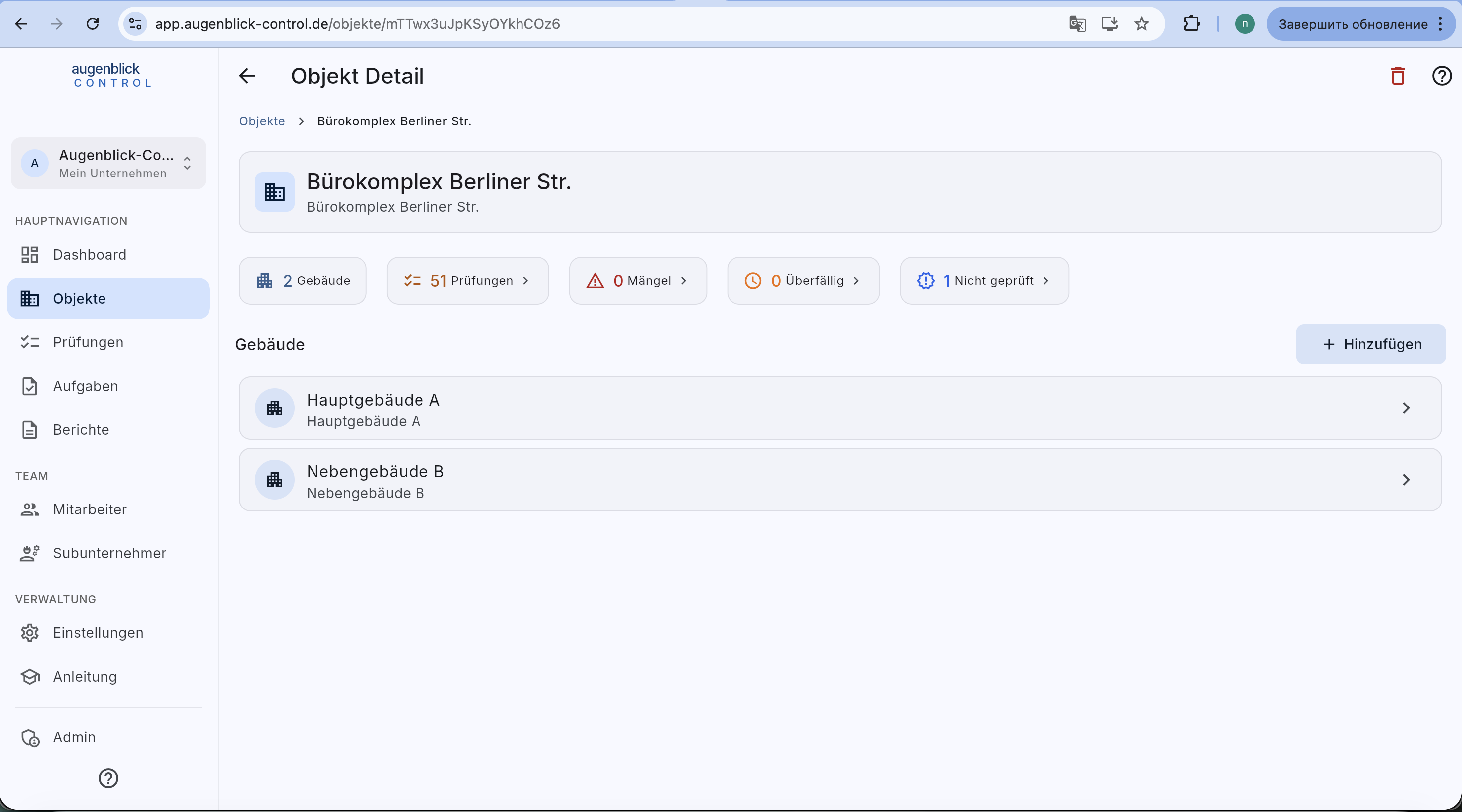
Top: 5 metrics (Buildings / Inspections / Defects / Overdue / Not inspected) — each tappable to filter.
Below: list of buildings with + Hinzufügen button.
Top right: red trash icon deletes the Objekt (soft-delete — admin can restore for 30 days).
Tip: Tapping any metric filters the list directly — faster than going via main navigation.
What's next
- Manage buildings — overview, floor plans, elements, inspection history
- Floor plan & markers — place elements on the plan