Manage employees
The Mitarbeiter page shows all team members of your company with role and status.
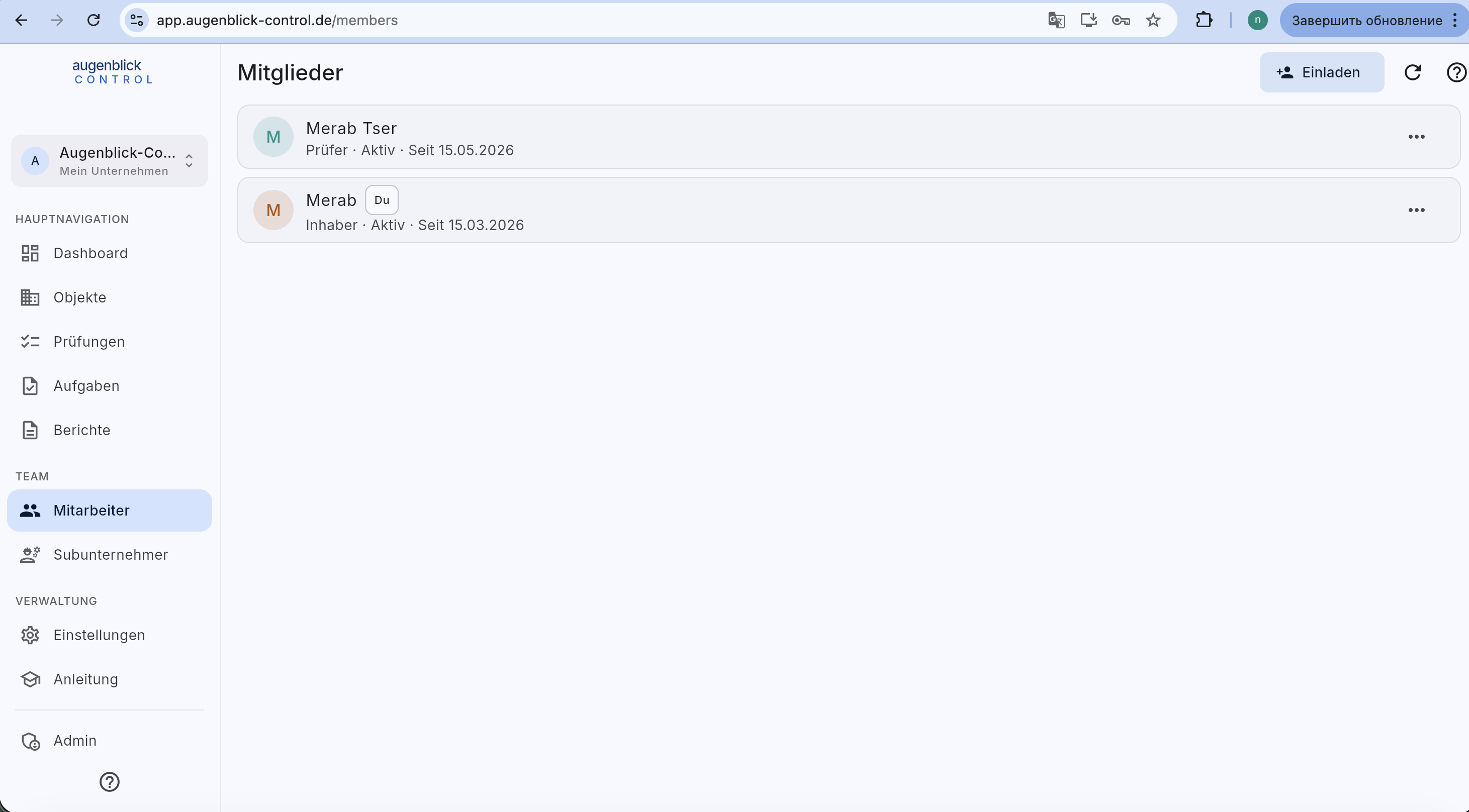
Per entry: name, role (Inhaber / Teamleiter / Admin / Prüfer), status (Aktiv / Inaktiv), join date.
Invite an employee
Top right + Einladen. Enter name, email, role. The invitee gets an email with initial password and must change it + accept the data-protection consent on first login.
Per-member actions
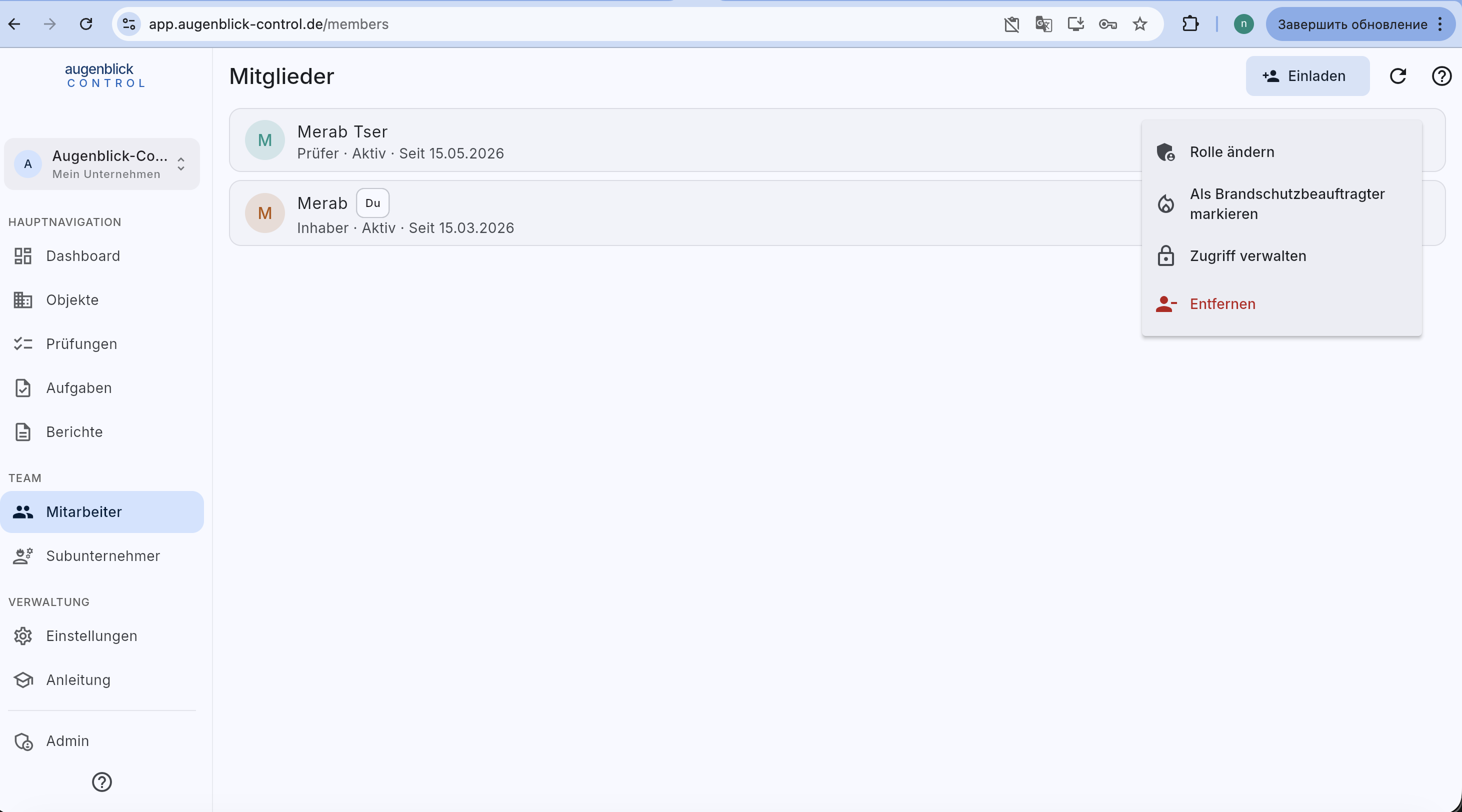
Via … (three dots):
- Rolle ändern — e.g. Inspector → Admin.
- Als Brandschutzbeauftragter markieren — printed as responsible person on BSB PDFs.
- Zugriff verwalten — scope to Objekte / buildings.
- Entfernen — remove from workspace (data stays).
Scope access
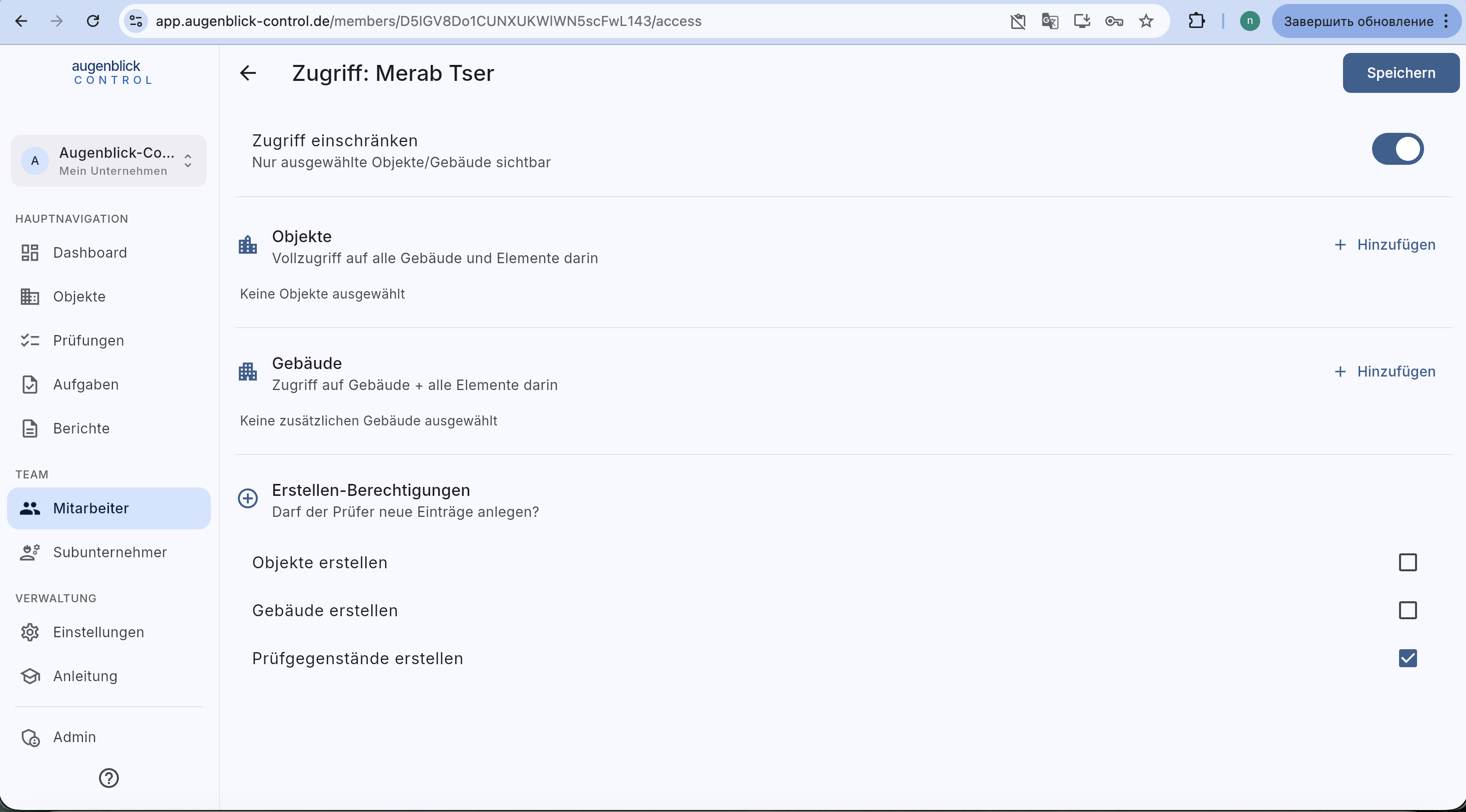
Default: all employees see everything. With Zugriff einschränken toggle the employee is limited to a whitelist:
- Objekte — full access to selected objects and their buildings.
- Gebäude — access to individual buildings (e.g. only Nebengebäude B).
- Erstellen-Berechtigungen — may the inspector create new Objekte / buildings / elements?
Save → the employee only sees the scoped set from now on.
Tip: Subcontractors need a different path — see guide Manage subcontractors. They're not internal members but external firms with their own access keys.