Manage subcontractors
A subcontractor is an external firm (e.g. fire-protection company) that works in your workspace with limited rights. They receive an access key with defined scope and validity period.
Add a subcontractor
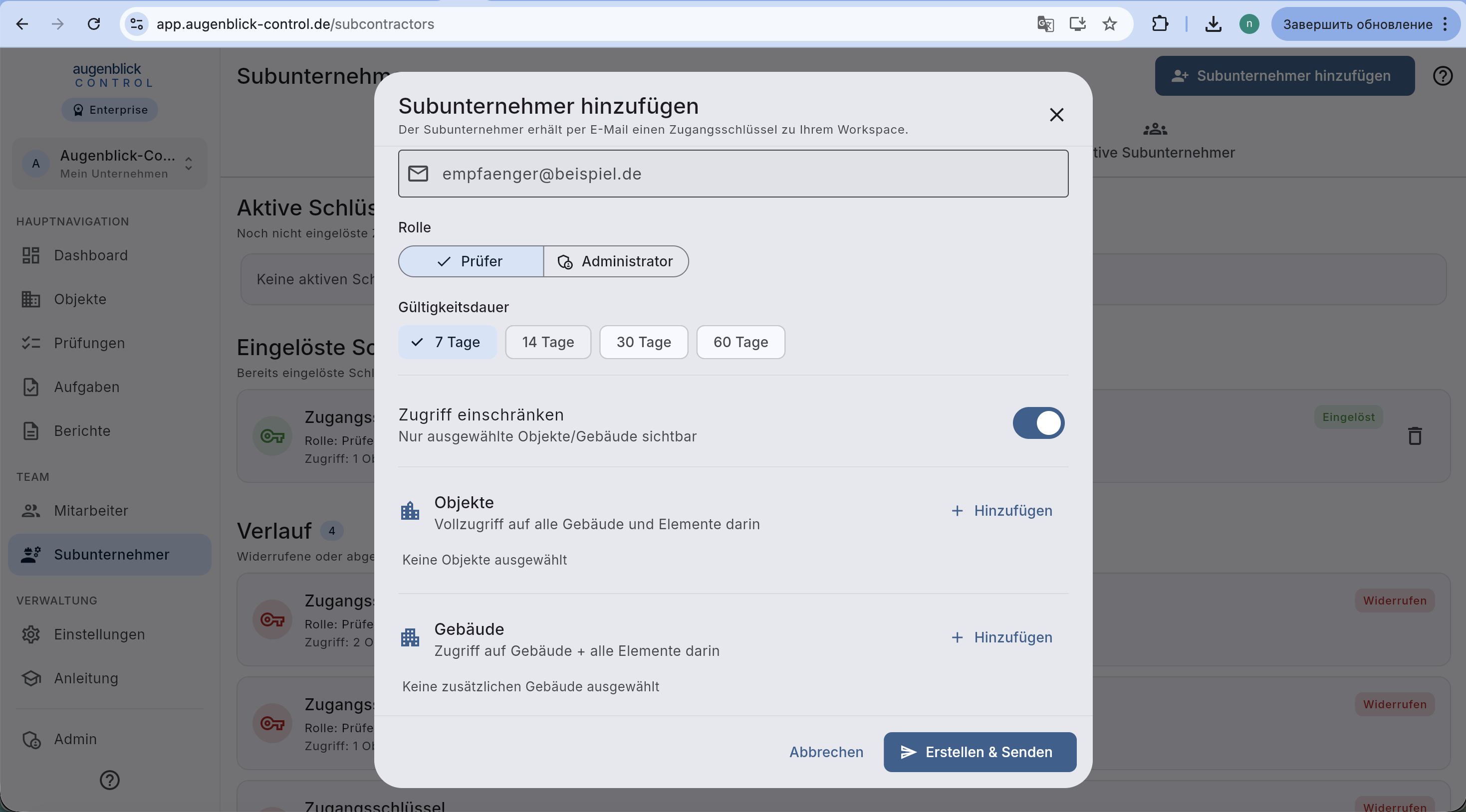
Top right + Subunternehmer hinzufügen. In the modal:
- Email — recipient gets the key by mail.
- Role — Prüfer (default) or Administrator.
- Validity — 7 / 14 / 30 / 60 days.
- Scope — whitelist of Objekte / buildings (analog to employees).
Erstellen & Senden — key is generated, sent by email.
Detail view
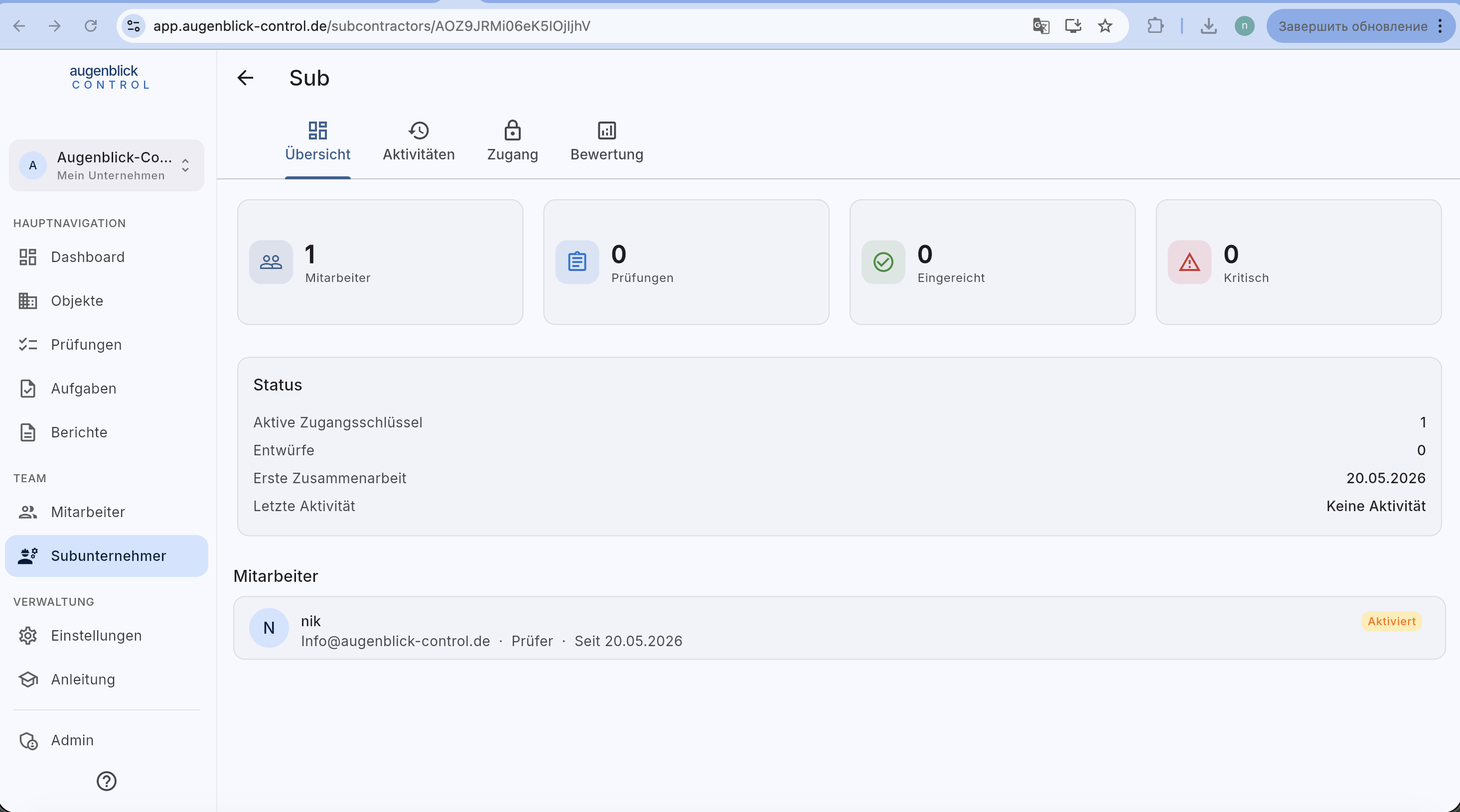
Four tabs:
- Übersicht — metrics (employees / inspections / submitted / critical) + status box (active keys, drafts, first cooperation, last activity) + list of sub-employees.
- Aktivitäten — chronological audit log.
- Zugang — current scope, active and historical keys.
- Bewertung — performance KPIs.
Tab: Zugang
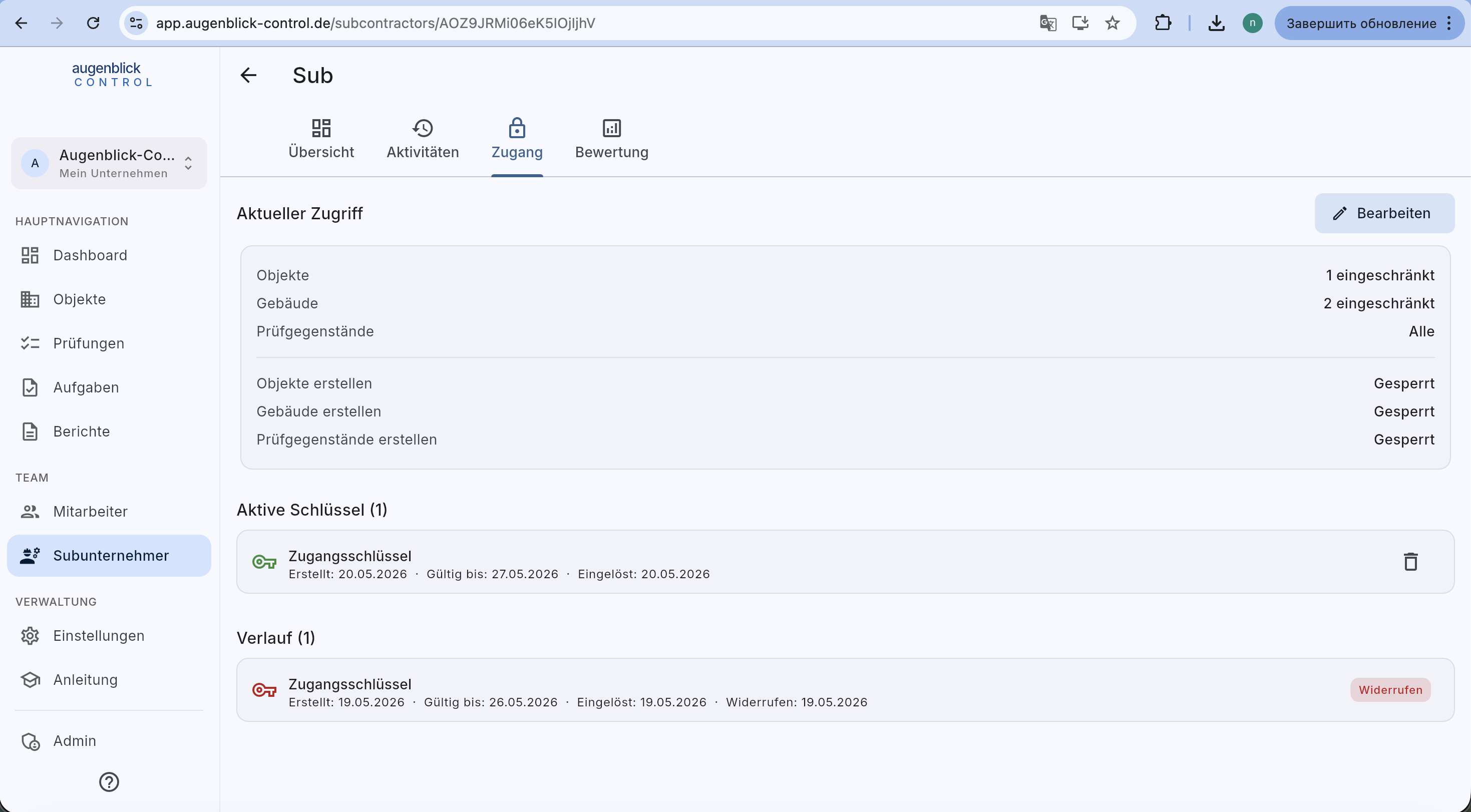
Block Aktueller Zugriff with Bearbeiten (change scope after the fact). Lists:
- Aktive Schlüssel — all valid keys with remaining lifetime.
- Verlauf — expired or revoked keys with status chip.
Trash icon next to an active key revokes it immediately — the sub loses access.
Tab: Bewertung
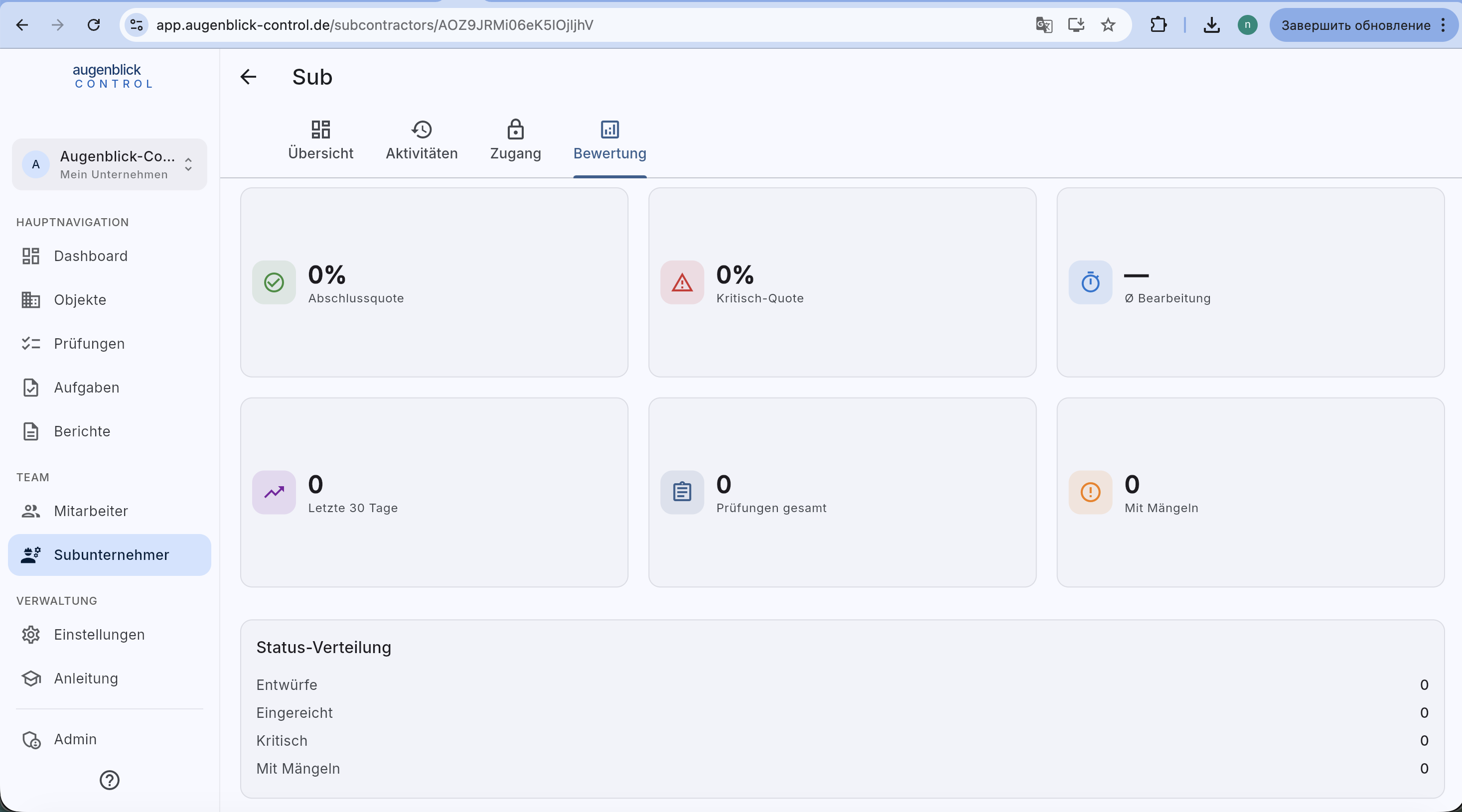
Performance KPIs: completion rate / critical rate / avg processing time / activity last 30 days / total inspections / with defects. Status distribution: drafts / submitted / critical / with defects.
All keys overview
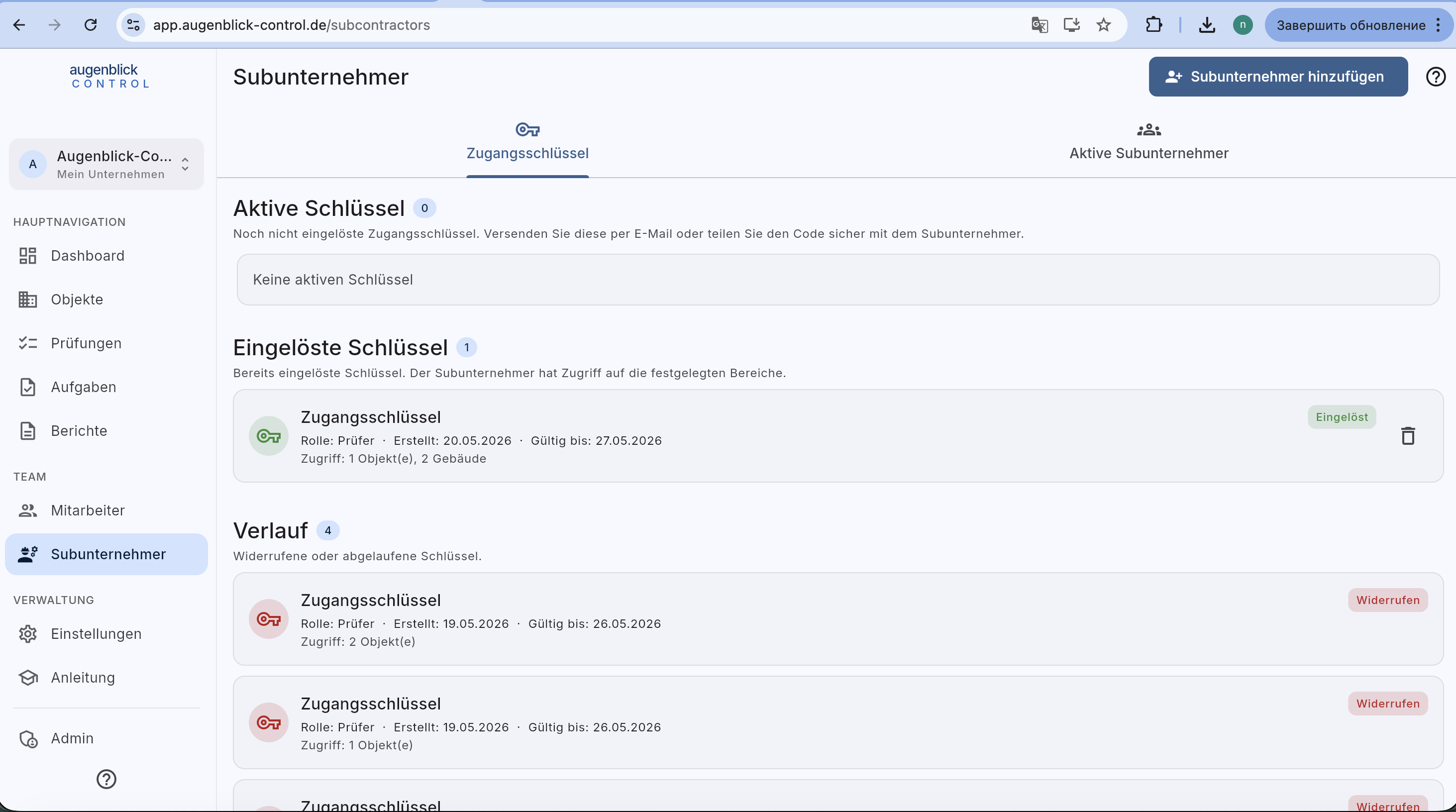
On the main Subunternehmer page → tab Zugangsschlüssel: all keys of the firm (cross-sub). Useful before audits or personnel changes.
Tip: Subcontractors with role Administrator can invite their own sub-employees within their scope. Useful when a sub sends multiple inspectors. A Prüfer key only admits one single employee.
What's next
- Access keys — redeem a key (sub side)
- Manage employees — internal team