Settings — Overview
The settings page groups all configuration areas into three categories.
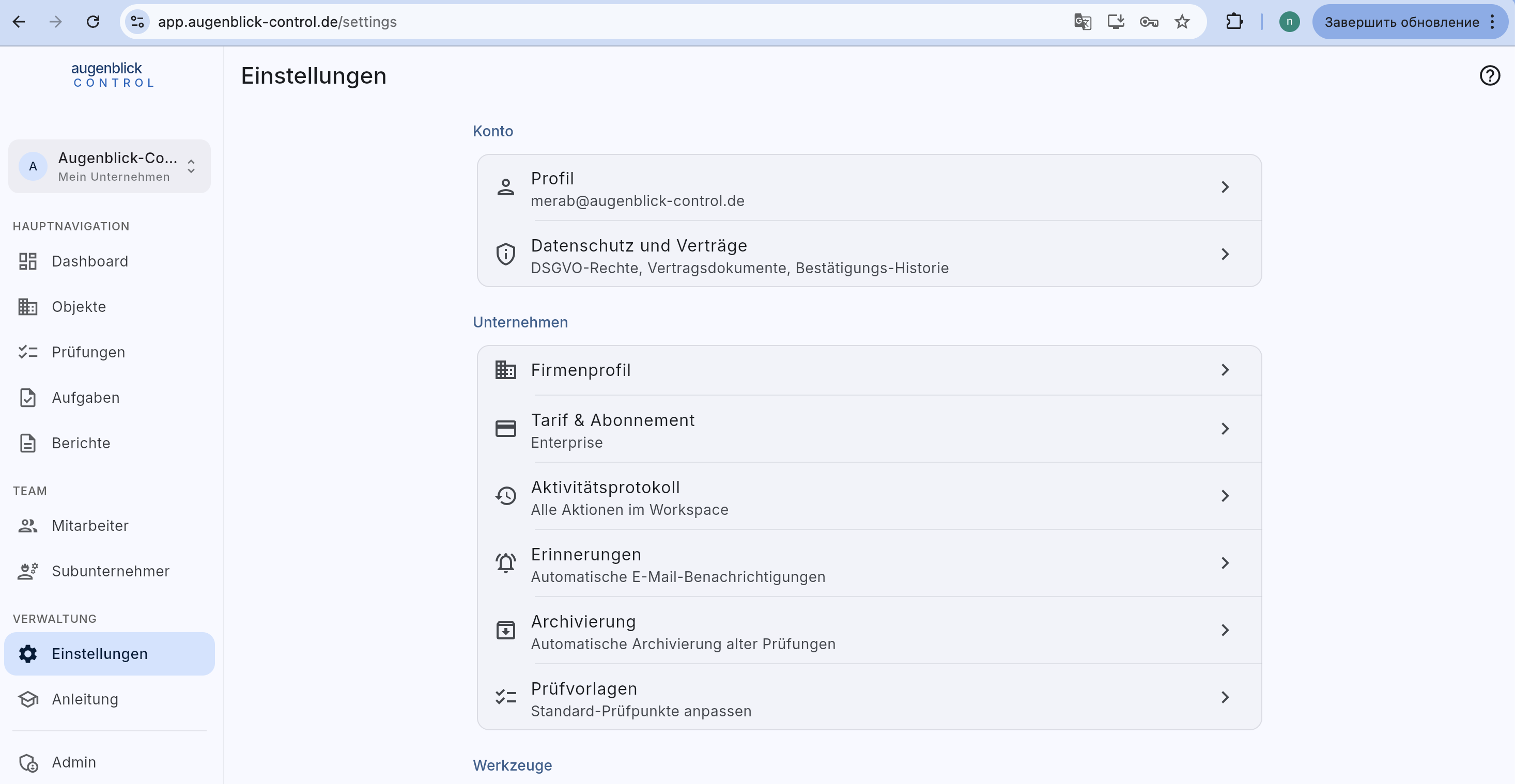
Konto (account)
- Profil — name, email, language, password.
- Benachrichtigungen — switch push and e-mail on or off per topic, quiet hours for push (just for you). Details: Erinnerungen.
- Datenschutz und Verträge — GDPR rights (data export, delete account), contract documents, consent history.
Under Datenschutz und Verträge → Daten exportieren, you can download your personal data as a JSON file. The browser starts a download; Android and iPhone open the system save dialog so you can choose a location. Cancelling is not an error. A second export cannot start while preparation is in progress. Signing out cancels a file save that has not started yet. There is a limit of two requests per hour; cancelling the save dialog still counts as a request.
Unternehmen (company)
- Firmenprofil — data that appears on every inspection protocol.
- Tarif & Abonnement — plan overview (web only).
- Aktivitätsprotokoll — audit log of all workspace actions.
- Erinnerungen — automatic email reminders before due dates.
- Archivierung — when completed inspections get archived.
- Prüfvorlagen — adjust default checkpoints.
Prüfvorlagen: Stammdaten fields
The template's Stammdaten fields apply the same way everywhere: when creating and editing a device, on the device page (also after scanning), in the inspection and in the Excel import — in the same order and with the same labels.
- Change the label — any time; devices keep their values.
- Key — fixed once saved, because devices store their values under it. For a really different field, add a new one.
- Remove a field — it disappears from every screen; the values stay stored on the devices.
- Pick list (list icon next to the field) — fixed values, e.g. for “Luft”: Abluft, Zuluft. On the device and in the inspection one of them is chosen; leaving it empty is always possible. Add, delete and reorder values; with no entries the field is free text again. A value typed earlier that is not in the list stays visible until changed. Not for fields with their own format (e.g. Baujahr, Nennweite, Türart, Füllmenge, Rauchschutz, FSA system type and approval) nor for Hersteller/Typ. Older app versions must be updated before they can save a template with a pick list.
- Values outside the template (below the field list; in the template overview under each device category) — shows which fields the template no longer has are still stored on how many devices. Move the values into a template field (a target holding a different value is never overwritten — both are kept) or remove them. Save the template first. Admins of the own workspace only.
Werkzeuge (tools)
Below: Eigene Protokolle, Externer Auftrag (redeem access key), Über (version), Abmelden / Konto löschen.
Tip: Firmenprofil is the first step after setup — the data appears on every PDF. Fill it completely so every report looks professional from day one.
New BSK, FLS, BST and RWM reports also use the saved template field order and labels. Previously signed reports keep their fields, check points and values; the heading is the current one (dampers and doors since October 2026: “Wartungsprotokoll”). If the template changes during cleanup, the next step stops: reload and review the action again.