Reminders
Automatic email reminders warn you in time before inspections fall due — so nothing goes overdue.
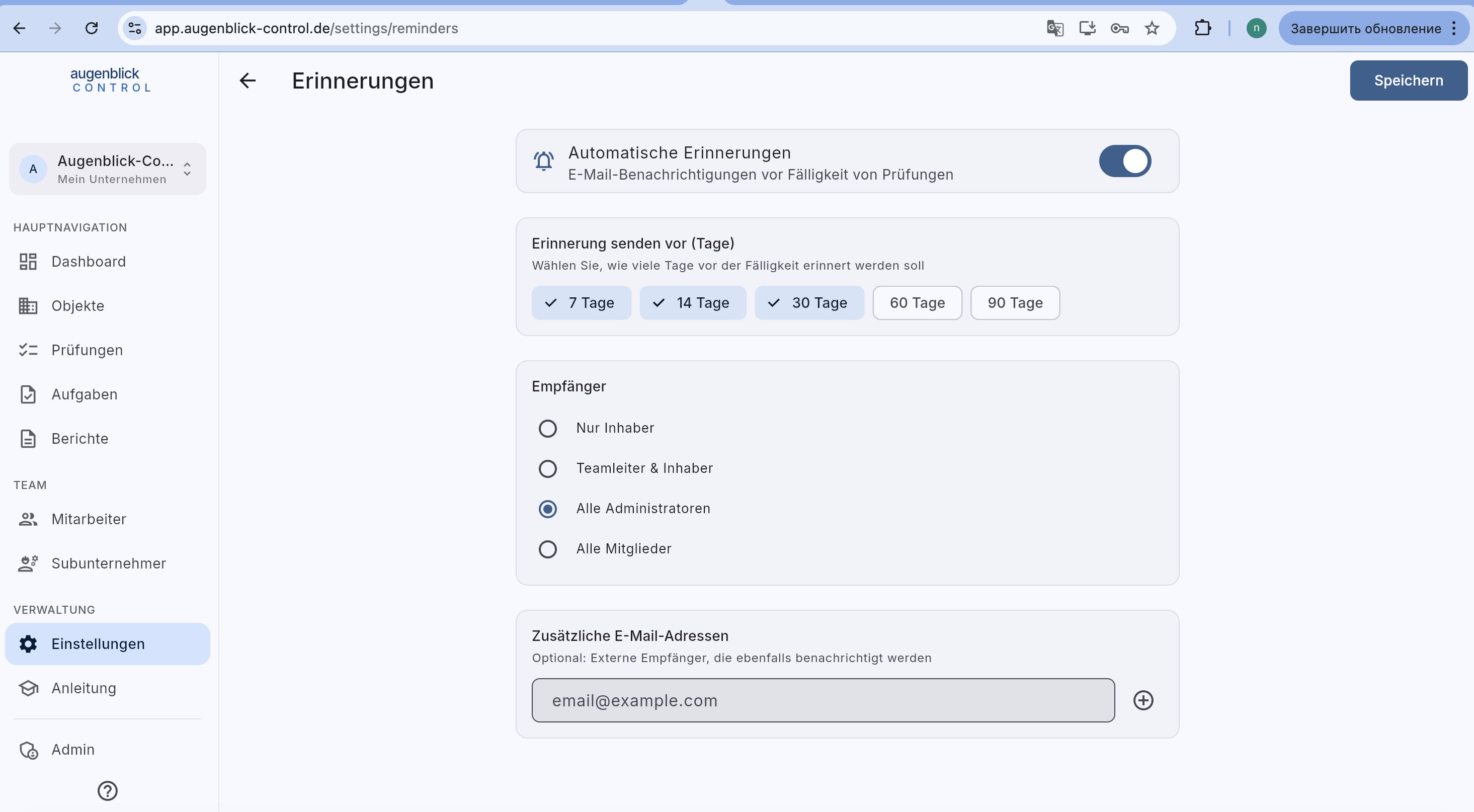
Configuration
- Automatic reminders — main switch (top right).
- Send reminder N days before — pick one or more: 7 / 14 / 30 / 60 / 90 days before due date. Multiple ticks = multiple early warnings.
- Recipients:
- Nur Inhaber — owner only.
- Teamleiter & Inhaber — default for small firms.
- Alle Administratoren.
- Alle Mitglieder — also inspectors.
- Additional email addresses — external recipients (e.g. property management, external safety officer). Add via
+.
Save
Save (top right) applies changes immediately. The next reminder run happens daily in the morning (around 08:00 German time in winter, 09:00 in summer), checks all due dates and sends the reminders to the configured recipients.
Delivery channels
Deadline reminders reach you in two ways: by email to the configured recipients and in the app's notification list (bell icon). Push notifications to your devices are reserved for personal events — e.g. a task assigned to you or a chat message. Deadline reminders are deliberately not delivered as push, so recurring due dates don't flood your devices.
Tip: For multi-family houses with external management: set the management as an additional email. They receive a mail with date, element and a link back to the platform.