Create a new element
An element (Prüfgegenstand) is a single device inside a building: fire damper, fire extinguisher, fire door, smoke detector, etc.
Three ways to reach the form:
- Dashboard card Neues Element.
- In the building's Geräte tab → + Hinzufügen.
- After Code scannen of an unknown QR code → "Create element".
Base form
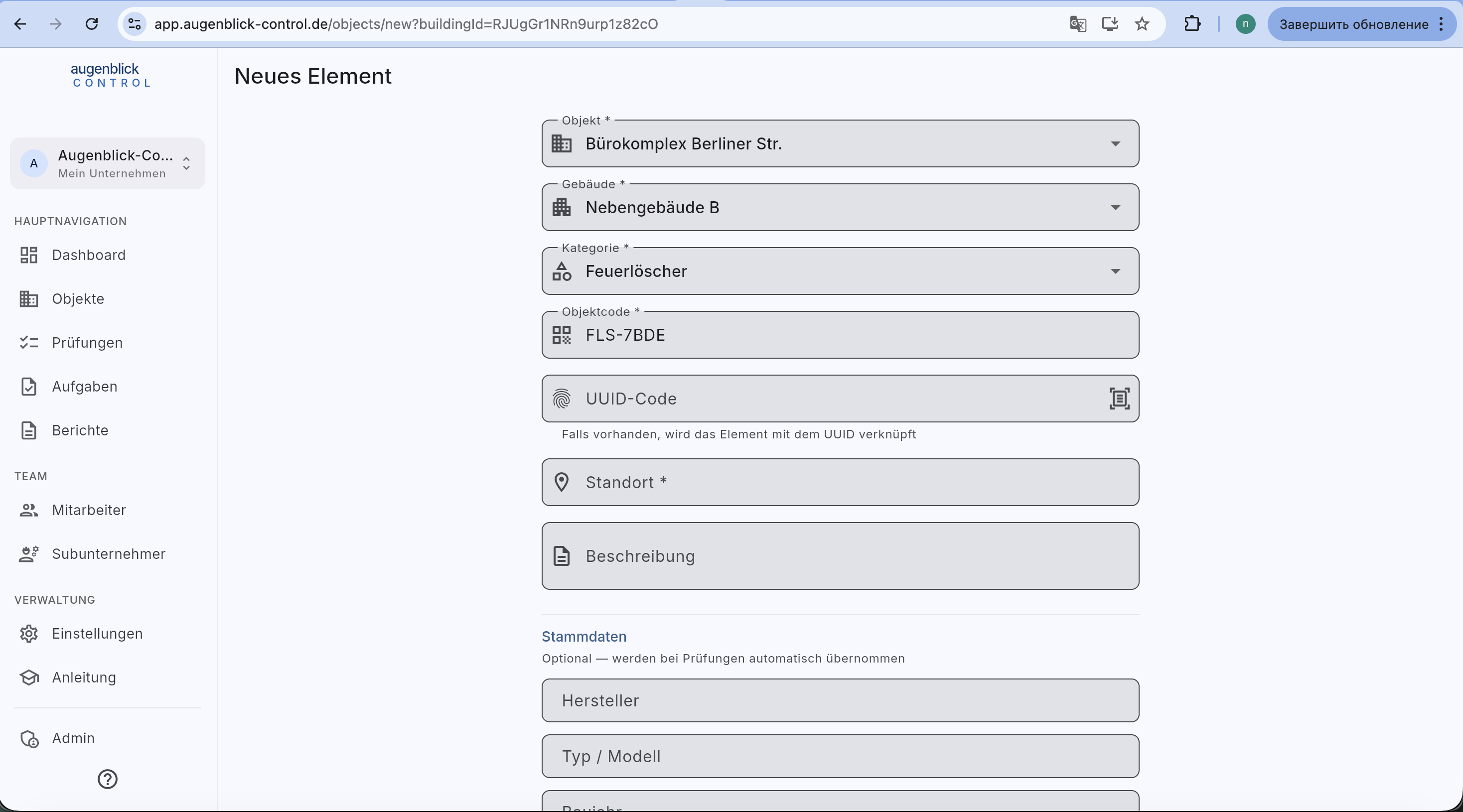
Required fields (with *):
- Objekt — property.
- Gebäude — where the device sits.
- Kategorie — determines the inspection form later (FLS / BSK / BST / RWM / ...).
- Objektcode — internal identifier (e.g.
FLS-78DE).
Optional:
- UUID code — when present, links the element to a QR label. Tap the scanner icon or type manually.
- Standort — room / floor / zone.
- Beschreibung — free text.
Stammdaten
Below the description: Stammdaten — auto-fills into every new inspection. Different fields per category (manufacturer / type / year / serial / fire classes / approval number / fire resistance …).
Category-specific: Fire door with FSA
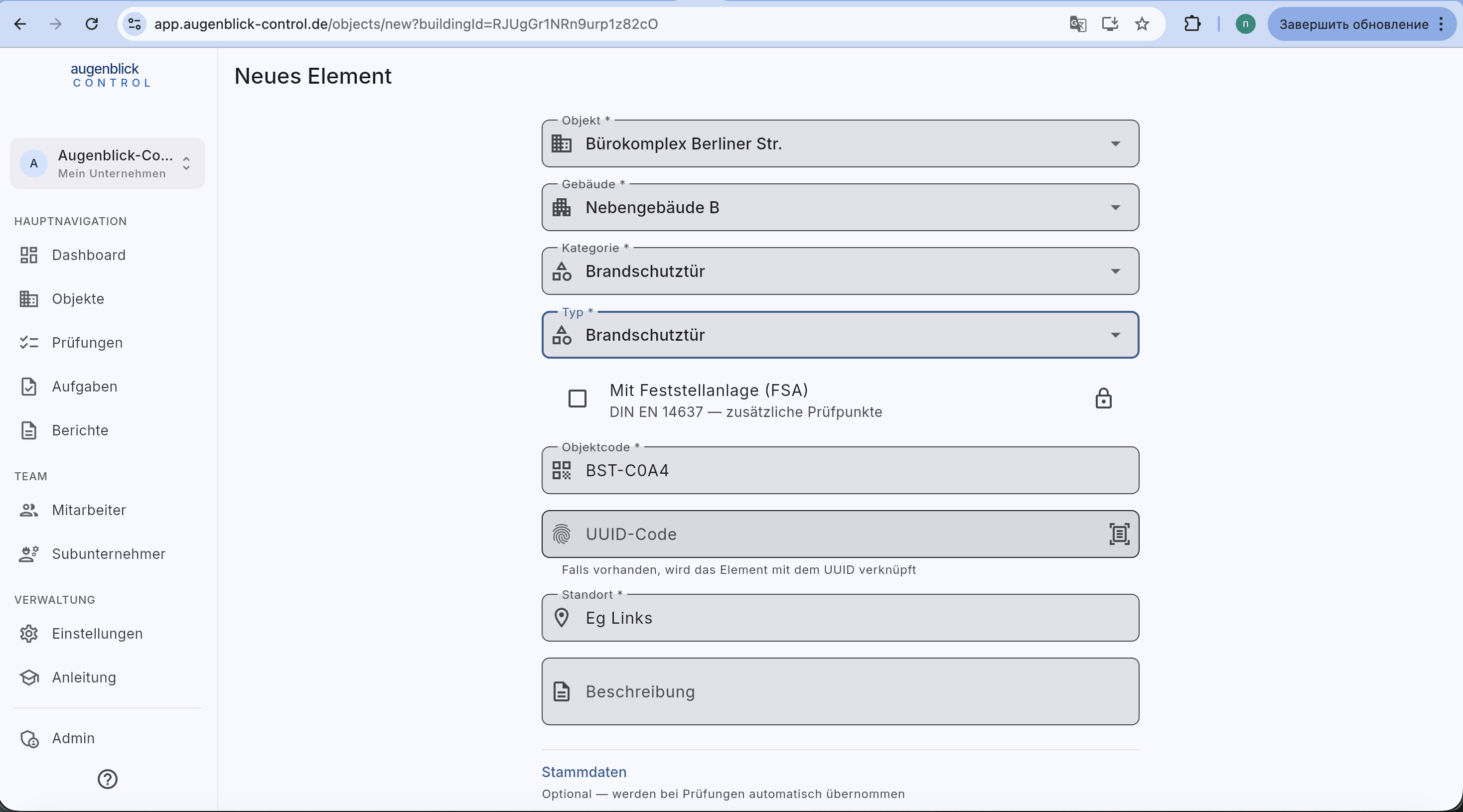
For Brandschutztür, additional Typ dropdown + Mit Feststellanlage (FSA) switch. FSA doors need monthly visual inspections — the switch enables the corresponding interval per DIN EN 14637.
After save: place on plan?
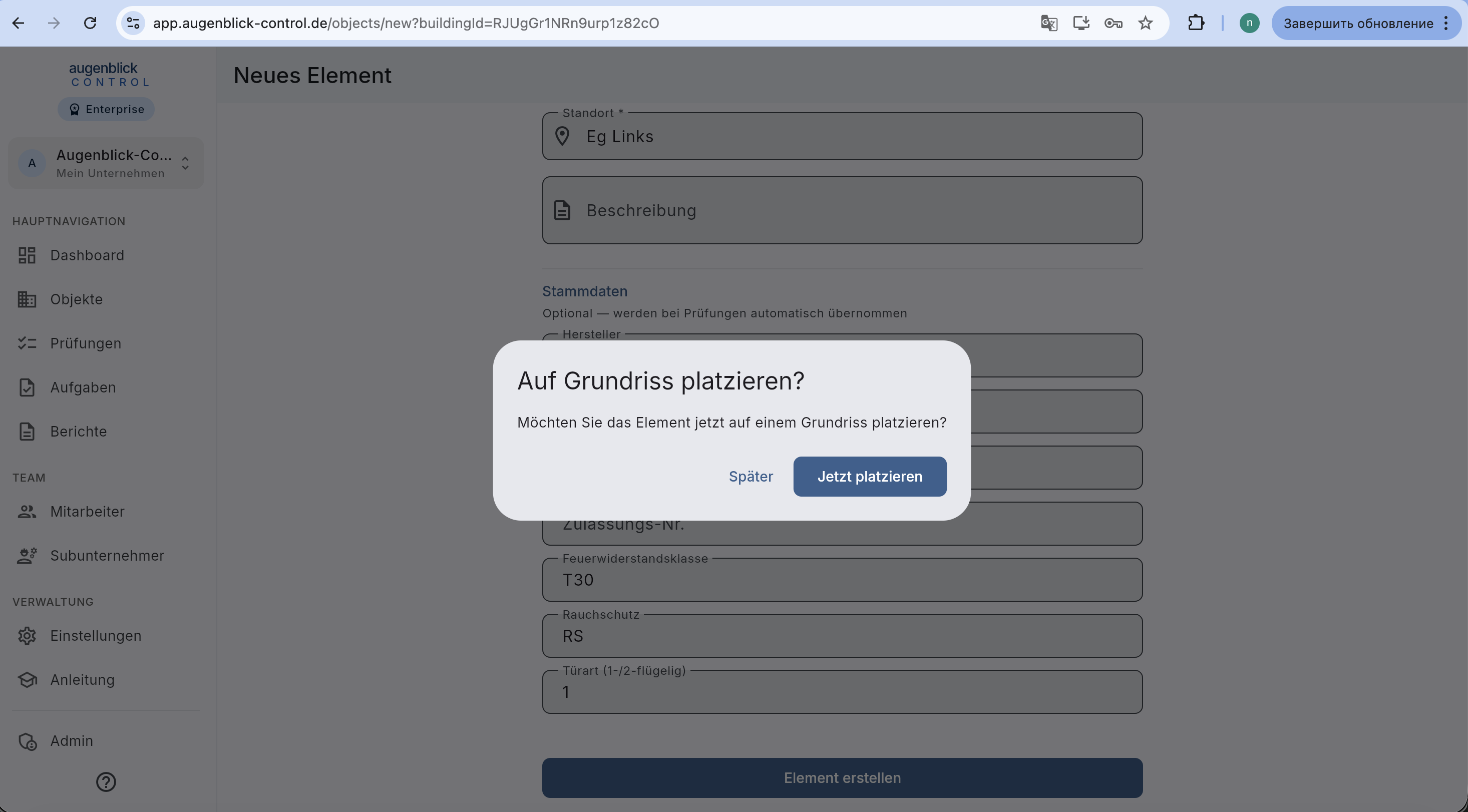
If the building has a floor plan, the app asks: "Möchten Sie das Element jetzt auf einem Grundriss platzieren?"
- Jetzt platzieren — opens the plan editor.
- Später — closes the dialog. You can place later from the plan tab.
Tip: Prepare UUID labels upfront with the UUID generator — print, stick, and just scan the code when creating the element.
What's next
- UUID generator — produce QR labels
- Floor plan & markers — place the element on the plan
- Start a new inspection
Edit an existing element
Open an element under Devices (also via its building, plan or QR code) and select Edit in its device information card. Change its code, location, manufacturer, model or master data, then select Save. An internet connection is required; saving does not create an inspection. Going back asks before discarding unsaved changes.
Category, building assignment, UUID and door type remain unchanged. FSA settings that affect inspection due dates are locked here. A saved construction year can be corrected (1900–2100), but cannot be cleared. Existing inspection reports retain their saved data.